
Fibonacci Squares
Loading the math board and drawing, please wait…
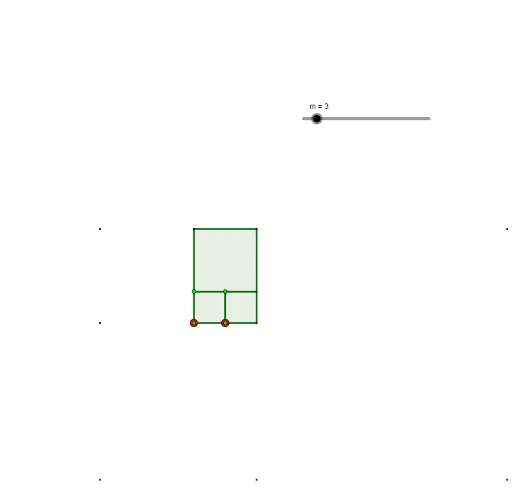
This example demonstrates the relationship between the Fibonacci sequence and square areas, visually representing the geometric significance of the sequence through dynamic construction. Key mathematical concepts include the Fibonacci sequence, area calculation, the connection between sequences and geometry, and coordinate geometry. It utilizes GeoGebra commands like Rotate and Sequence, creating multiple geometric objects such as A, A1, B, B1, etc., to showcase the dynamic changes in the sequence. Suitable for high school mathematics education, helping students understand the connection between sequences, geometry, and calculus, and inspiring exploration of mathematical beauty.
GeoGebra Commands & Parameters
Rotate(B1, π / 2, A1) → D1Rotate(B2, π / 2, A2) → D2Rotate(B3, π / 2, A3) → D3Rotate(B4, π / 2, A4) → D4Rotate(B5, π / 2, A5) → D5Rotate(B6, π / 2, A6) → D6Rotate(B7, π / 2, A7) → D7Rotate(B8, π / 2, A8) → D8Rotate(B9, π / 2, A9) → D9Rotate(B10, π / 2, A10) → D10Rotate(B11, π / 2, A11) → D11Rotate(B12, π / 2, A12) → D12Rotate(B13, π / 2, A13) → D13Rotate(B14, π / 2, A14) → D14Rotate(B15, π / 2, A15) → D15Rotate(B16, π / 2, A16) → D16Rotate(B17, π / 2, A17) → D17Rotate(B18, π / 2, A18) → D18Rotate(B19, π / 2, A19) → D19Rotate(B20, π / 2, A20) → D20Sequence(Polygon[Element[A1:A20, k], Element[B1:B20, k], 4], k, 1, m) → l1
AI Drawing Prompt Reference
Visualize the relationship between the Fibonacci sequence and square areas through dynamic geometric construction. Rotate a series of squares sequentially around the vertices of adjacent squares by 90 degrees, controlled by a slider, to create a complex and intricate pattern that reflects the Fibonacci sequence, showcasing the connection between sequences, geometry, and calculus.
The prompt above was compiled from the original drawing commands and is for reference only.