
Comparing Fractions and Finding Midpoints
Loading the math board and drawing, please wait…
In collections
Ordnen und Vergleichen von Bruchzahlen
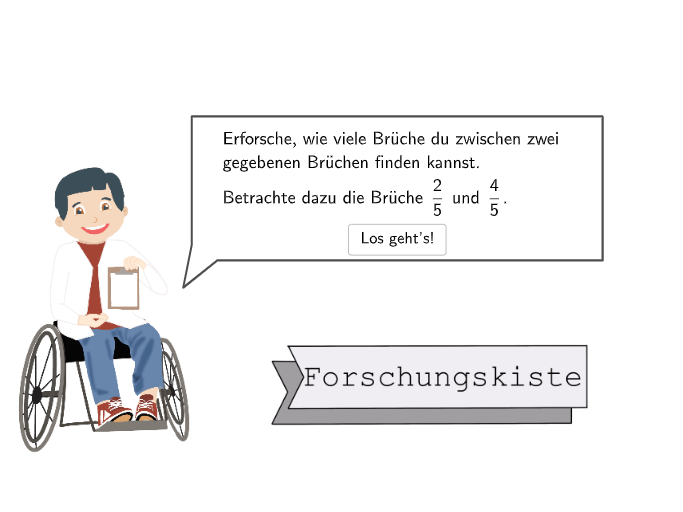
This example demonstrates how to compare two fractions and find the midpoint fraction between them using GeoGebra. Key math concepts include fraction comparison, midpoint calculation, and rational number concepts. GeoGebra commands used in the construction summary are: Sequence, Circle, Textfield, SpeechBubbleLeft, Midpoint, Point, Segment, Join, Polygon, IsInRegion, If, Text. Suitable for upper elementary grades (5-6) to teach and practice fraction comparison and rational number concepts.
GeoGebra Commands & Parameters
Sequence(Zentrum - ((Vector[ZSR, ZSL] * 1) * masterzoom / 80) - ((Vector[ZSR, ZSL] * i) * masterzoom / 10), i, 0, 1) → U2RechtsSequence(Zentrum + ((Vector[ZSR, ZSL] * 7) * masterzoom / 80) + ((Vector[ZSR, ZSL] * i) * masterzoom / 10), i, 0, 6) → U2LinksSequence(Zentrum - ((Vector[ZSR, ZSL] * 1) * masterzoom / 80) - ((Vector[ZSR, ZSL] * i) * masterzoom / 5), i, 0, 1) → U1RechtsSequence(Zentrum + ((Vector[ZSR, ZSL] * 15) * masterzoom / 80) + ((Vector[ZSR, ZSL] * i) * masterzoom / 5), i, 0, 3) → U1LinksCircle(U1Rechts(1), 0.3) → B2GoalCircle(U1Links(2), 0.3) → B1GoalTextfield(input1) → InputBox1Textfield(input2) → InputBox2Textfield(input3) → InputBox3Textfield(input4) → InputBox4SpeechBubbleLeft(SpeechA1, 9, 3) → Step1SpeechSpeechBubbleLeft(SpeechSpecial, 10.5, 2.4) → Step2SpeechSpeechBubbleLeft(SpeechA2, 12, 1.5) → Step3SpeechMidpoint(U1Links(1), U1Rechts(1)) → MPetrol1Circle(MPetrol1, 2.8) → Petrol1SpeechBubbleLeft(SpeechA4, 12, 2.5) → Step4SpeechPoint(StaengelPunkte) → ZoomPunktSegment(StaengelStart, StaengelEnd) → StaengelSpeechBubbleLeft(SpeechA5, 11, 3) → Step5SpeechMidpoint(U2Links(1), U2Rechts(1)) → MPetrol2Circle(MPetrol2, 2.8) → Petrol2SpeechBubbleLeft(SpeechA7, 11, 3) → Step7SpeechTextfield(input5) → InputBox5Textfield(input6) → InputBox6SpeechBubbleLeft(SpeechA8, 11, 3) → Step8SpeechSpeechBubbleLeft(SpeechA9, 11.5, 2.2) → Step9SpeechSegment(ZSL, ZSR) → hSequence(Zentrum + ((Vector[ZSR, ZSL] * 3) * masterzoom / 80) + ((Vector[ZSR, ZSL] * i) * masterzoom / 20), i, 0, 14) → U3LinksSequence(Zentrum - ((Vector[ZSR, ZSL] * 1) * masterzoom / 80) - ((Vector[ZSR, ZSL] * i) * masterzoom / 20), i, 0, 3) → U3RechtsSequence(Zentrum + (Vector[ZSR, ZSL] * masterzoom / 80) + ((Vector[ZSR, ZSL] * i) * masterzoom / 40), i, 0, 30) → U4LinksSequence(Zentrum - ((Vector[ZSR, ZSL] * 1) * masterzoom / 80) - ((Vector[ZSR, ZSL] * i) * masterzoom / 40), i, 0, 7) → U4RechtsSequence(Zentrum + ((Vector[ZSR, ZSL] * i) * masterzoom / 80), i, 0, 10) → U5LinksSequence(Zentrum - ((Vector[ZSR, ZSL] * i) * masterzoom / 80), i, 0, 7) → U5RechtsJoin({Sequence[Segment[U1Links(i) + (0, 0.15), U1Links(i) + (0, -0.15)], i, 1, 5], Sequence[Segment[U1Rechts(i) + (0, 0.15), U1Rechts(i) + (0, -0.15)], i, 1, 5]}) → U1StreckenJoin({Sequence[Segment[U2Links(i) + (0, 0.15), U2Links(i) + (0, -0.15)], i, 1, 5], Sequence[Segment[U2Rechts(i) + (0, 0.15), U2Rechts(i) + (0, -0.15)], i, 1, 5]}) → U2StreckenJoin({Sequence[Segment[U3Links(i) + (0, 0.15), U3Links(i) + (0, -0.15)], i, 1, 5], Sequence[Segment[U3Rechts(i) + (0, 0.15), U3Rechts(i) + (0, -0.15)], i, 1, 5]}) → U3StreckenJoin({Sequence[Segment[U4Links(i) + (0, 0.15), U4Links(i) + (0, -0.15)], i, 1, 5], Sequence[Segment[U4Rechts(i) + (0, 0.15), U4Rechts(i) + (0, -0.15)], i, 1, 5]}) → U4StreckenJoin({Sequence[Segment[U5Links(i) + (0, 0.15), U5Links(i) + (0, -0.15)], i, 1, 5], Sequence[Segment[U5Rechts(i) + (0, 0.15), U5Rechts(i) + (0, -0.15)], i, 1, 5]}) → U5StreckenSegment(C, ZSL) → iSegment(ZSR, D) → jSegment(U1Links(4) + (0, 0.3), U1Links(4) + (0, -0.3)) → fSegment(U1Rechts(2) + (0, 0.3), U1Rechts(2) + (0, -0.3)) → gPolygon({WhiteCheese1E1, WhiteCheese1E2, WhiteCheese2E2, WhiteCheese2E1}) → validateboxIsInRegion(B1Pos, validatebox) → b1inboxIsInRegion(B2Pos, validatebox) → b2inboxIsInRegion(B1Pos, B1Goal) → b1correctIsInRegion(B2Pos, B2Goal) → b2correctMidpoint(U, Q) → PlusZoom1Midpoint(R, Q) → PlusZoom2Midpoint(S, R) → PlusZoom3Midpoint(T, S) → PlusZoom4Join({Sequence[Segment[PlusZoomPunkte(i) + (0, 0.15), PlusZoomPunkte(i) + (0, -0.15)], i, 1, 5], Sequence[Segment[PlusZoomPunkte(i) + (0, 0.15), PlusZoomPunkte(i) + (0, -0.15)], i, 1, 4]}) → PlusZoomStreckenIf(step ≟ 3, 2 / 5, step ≟ 5, 3 / 5, 7 / 10) → grenzelinksIf(step ≟ 3, input1 / input2 ≠ grenzesol ∧ grenzelinks < input1 / input2 < grenzerechts, step ≟ 5, input3 / input4 ≠ grenzesol ∧ grenzelinks < input3 / input4 < grenzerechts, input5 / input6 ≠ grenzesol ∧ grenzelinks < input5 / input6 < grenzerechts) → showhintIf(masterzoom < 1.5, 5, 160, 1.5 ≤ masterzoom < 3, 10, 3 ≤ masterzoom < 6, 20, 6 ≤ masterzoom < 12, 40, 12 ≤ masterzoom < 22, 80) → maxnennerIf(maxnenner ≟ 160, 1, maxnenner ≟ 5, 32, maxnenner ≟ 80, 2, maxnenner ≟ 40, 4, maxnenner ≟ 20, 8, maxnenner ≟ 10, 16) → helperdivText(Dyn35, U1Links(1) + (0, 0.9), false, true, 0, 0) → Text35Text(Dyn1320, U3Links(3) + (0, 0.9), false, true, 0, 0) → Text37Text(Dyn710, U2Links(1) + (0, 0.9), false, true, 0, 0) → Text38Text(Dyn1520, U3Links(1) + (0, 0.9), false, true, 0, 0) → Text39Text(Dyn45, U1Rechts(1) + (0, 0.9), false, true, 0, 0) → Text40Text(Dyn2940, U4Links(3) + (0, 0.9), false, true, 0, 0) → Text41Text(Dyn3140, U4Links(1) + (0, 0.9), false, true, 0, 0) → Text42Text(Dyn6180, U5Links(3) + (0, 0.9), false, true, 0, 0) → Text43Text(Dyn6380, U5Links(1) + (0, 0.9), false, true, 0, 0) → Text44
AI Drawing Prompt Reference
Draw a coordinate-plane style diagram with several vertical ruler-like tick columns. Create point sequences at equal spacing along two opposite directions from a shared reference, then connect short offset segments to form a grid of small bars on the left and right sides. Mark two matching answer areas by taking two midpoints between paired points, and drawing circles with the same radius centered at those midpoints. Add multiple text input boxes for the fraction-comparison and midpoint values, plus left-facing speech bubbles to guide the steps. Include a validation polygon region and show the checker regions around the two circle targets.
The prompt above was compiled from the original drawing commands and is for reference only.