
Ferriswheel: Imagine
Loading the math board and drawing, please wait…
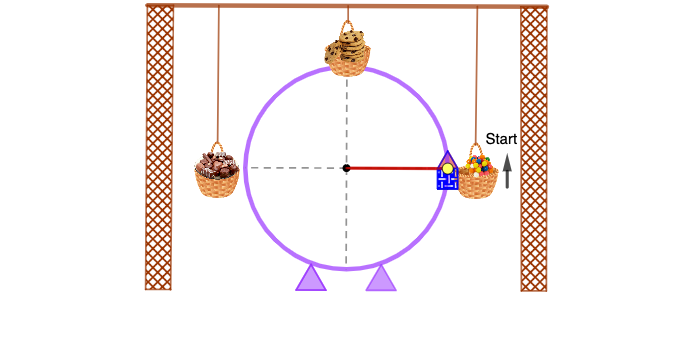
This example demonstrates the motion trajectory of a Ferris wheel. It involves the geometric properties of circles and trigonometric functions. Using commands such as Circle, Point, Line, Intersect, Segment, OrthogonalLine, Polygon, Angle, CircleSector, Mirror, and Vector, a dynamic model of the Ferris wheel can be constructed. Suitable for high school mathematics education, particularly in coordinate geometry and trigonometry.
GeoGebra Commands & Parameters
Circle(A, 5) → cPoint(c) → BLine(A, B) → fIntersect(c, f, 2) → ESegment(B, E) → iLine(T_1, i) → j_1OrthogonalLine(A, f) → gIntersect(c, g, 2) → CIntersect(c, g, 1) → DSegment(C, D) → hPoint(c) → HSegment(H, A) → jPoint(Circle[H, 1]) → ISegment(H, I) → kPoint(Circle[I, 0.5]) → JSegment(I, J) → lPoint(Circle[I, 0.5]) → KSegment(I, K) → mPolygon(K, J, 4) → poly1, n, p, q, r, L, MPolygon(M, L, 3) → poly2, s, t, a, NAngle(D, A, H) → αCircleSector(A, D, H) → dPoint(j) → SPoint(h) → TMirror(A, h) → A'Mirror(U, h) → U'Mirror(V, h) → V'Vector(W, Z) → wIntersect(c, h, 2) → A_1Segment(A, A_1) → bMirror(pic4, h) → pic4'Line(F_1, i) → f_1Segment(G_1, F_1) → g_1Point(f_1) → I_1Segment(H_1, I_1) → h_1Point(f_1) → K_1Segment(J_1, K_1) → i_1Point(f_1) → L_1Point(j_1) → N_1Point(f_1) → O_1Point(j_1) → M_1Polygon(L_1, M_1, N_1, O_1) → q1, l_1, m_1, n_1, o_1Mirror(L_1, h) → P_1Mirror(M_1, h) → Q_1Mirror(N_1, h) → R_1Mirror(O_1, h) → S_1Polygon(P_1, Q_1, R_1, S_1) → q1', p_1, q_1, r_1, s_1OrthogonalLine(M_1, j_1) → k_1OrthogonalLine(N_1, j_1) → t_1Intersect(f_1, r_1) → U_1Intersect(f_1, n_1) → V_1Segment(U_1, V_1) → b_1Point(j_1) → W_1OrthogonalLine(W_1, j_1) → a_1Point(j_1) → Z_1Polygon(W_1, Z_1, 3) → poly3, c_1, d_1, e_1, A_2Mirror(poly3, h) → poly3'Point(c) → B_2Segment(A, B_2) → ePoint(e) → C_2Point(j) → D_2Point(e) → E_2CircleSector(E_2, C_2, D_2) → c_2
AI Drawing Prompt Reference
Draw a Ferris wheel model: start with a large circle as the wheel, centered at a fixed point. Place a point on the circle to represent a cabin attachment, and draw a radius from the center to this point. Construct a vertical diameter through the center, perpendicular to the initial radius, dividing the circle into upper and lower halves. Add another point on the circle, connect it to the center to form a second radius, and mark the angle between this radius and the vertical diameter. At the cabin attachment point, draw a small circle to represent the cabin, and inside it construct a polygon and a triangle to simulate the cabin structure. Mirror some of these shapes across the vertical diameter to create symmetric cabins. Finally, add a horizontal line below the wheel and draw a polygon to represent the ground support structure, giving the overall appearance of a rotating Ferris wheel.
The prompt above was compiled from the original drawing commands and is for reference only.