
Factor Trinomials Practice
Loading the math board and drawing, please wait…
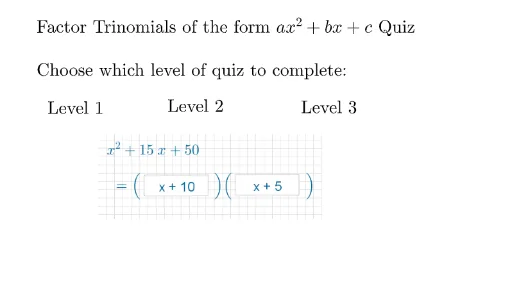
This example provides practice for students to master the skill of factoring trinomials. Key math concepts include factoring trinomials. GeoGebra commands used include Shuffle, Element, RandomElement, etc. Suitable for middle school and above students.
GeoGebra Commands & Parameters
Shuffle(listlvl2q) → listlvl2qsh, {2, 3, 3, 2, 4, 1, 1, 1}Element(listlvl2qsh, elm) → qQRandomElement(lista) → aARandomElement(listr1) → r1Remove({-8, -7, -6, -5, -4, -3, -2, -1, 0, 0, 1, 2, 3, 4, 5, 6, 7, 8, 9}, {(-r1)}) → listr2RandomElement(listr2) → r2If(blvl1 ≠ 1, x^(2) - (blvl1 * x) + clvl1, x^(2) - x + clvl1) → lvl1If(qQ ≟ 1, lvl1, If[qQ ≟ 2, lvl2b, If[qQ ≟ 3, lvl2c, lvl2d]]) → lvl2RandomElement(listm) → mMRandomElement(listn) → nNIf(qQ ≟ 1, lvl1, If[qQ ≟ 2, lvl2b, lvl3d]) → lvl3If(screen1 ≟ 1, lvl1, If[screen2 ≟ 1, lvl2, If[screen3 ≟ 1, lvl3]]) → fFnTextfield(stanslvl11) → InputBox1Textfield(stanslvl12) → InputBox2Textfield(stanscon) → InputBox3GCD({lvl3aa, lvl3bb, clvl1}) → dDIf(screen1 ≟ 1, 1, If[screen2 ≟ 1, 2, 3]) → levelnumber
AI Drawing Prompt Reference
Create a math practice interface showing polynomial factoring problems and answer input boxes. Display randomly generated quadratic polynomials with different factoring forms based on conditions, and provide input boxes for users to enter answers, while showing the correct factoring results.
The prompt above was compiled from the original drawing commands and is for reference only.