
Exponents: Product Rule Demo
Loading the math board and drawing, please wait…
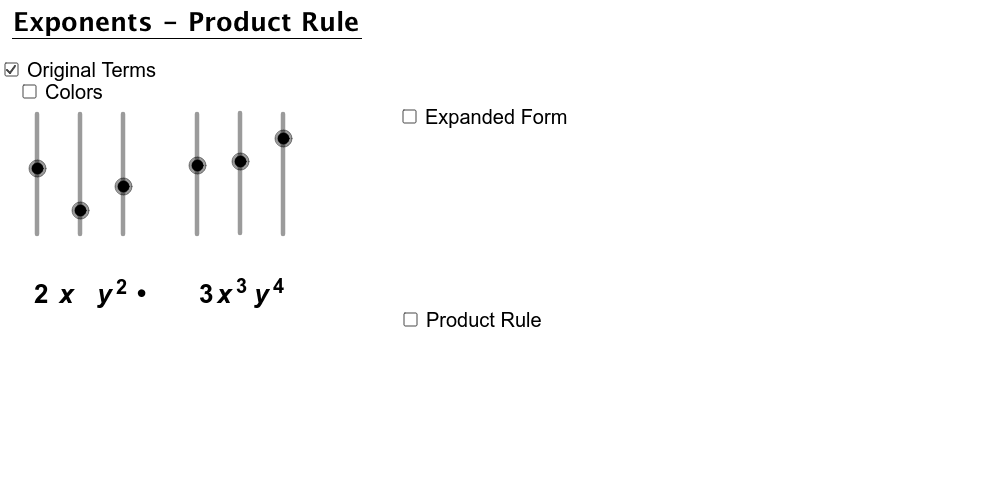
This example demonstrates the product rule of exponents through geometric and algebraic interpretations. It involves core concepts like exponent operations, translation transformations, sequence generation, and coordinate geometry. Key GeoGebra commands used include Text, If, Translate, and Sequence to create text elements, conditional logic, translation objects, and sequences. Suitable for high school mathematics education to understand exponent properties and dynamic geometric demonstrations.
GeoGebra Commands & Parameters
Text("y") → text4Text("y") → text6Text("x") → text5Text(expX1 + "") → text8Text(expX2 + "") → text9Text(expY1 + "") → text10Text(expY2 + "") → text11If(color, 255.0, 0.0) → factorColor255If(color, 153.0, 0.0) → factorColor153Text("x") → text3If(expX1 - expX2 ≟ 0.0 ∧ expY1 - expY2 ≟ 0.0, 1.0, 0.0) → zerosTranslate((6.923609046978582, -1.782455570499752), Vector[Vector[(0.0, 0.0), (0.0, -3.0)]]) → ATranslate((6.923609046978582, 0.217544429500248), Vector[Vector[(0.0, 0.0), (0.0, -3.0)]]) → BTranslate((7.524258469913336, 0.217544429500248), Vector[Vector[(0.0, 0.0), (0.0, -3.0)]]) → CTranslate((7.524258469913336, -1.782455570499752), Vector[Vector[(0.0, 0.0), (0.0, -3.0)]]) → DSequence(Translate[xtop, Vector[(1.5, 0.0), (0.65 * i, 0.0)]], i, 0.0, expX1 + expX2 - 1.0) → ExpandXtopSequence(Translate[ytop, Vector[(0.0, 0.0), (0.65 * i, 0.0)]], i, 0.0, expY1 + expY2 - 1.0) → ExpandYtop
AI Drawing Prompt Reference
Create a visual demonstrating the product rule of exponents, featuring coordinate axes and text labels for variables x and y. Show two exponential expressions and their sum, distinguished by different colors. Generate four points through translation operations and create two sequences extending along the x and y axes to illustrate the dynamic changes in the sum of exponents.
The prompt above was compiled from the original drawing commands and is for reference only.