
Exploring Vectors in 3-Dimensions
Loading the math board and drawing, please wait…
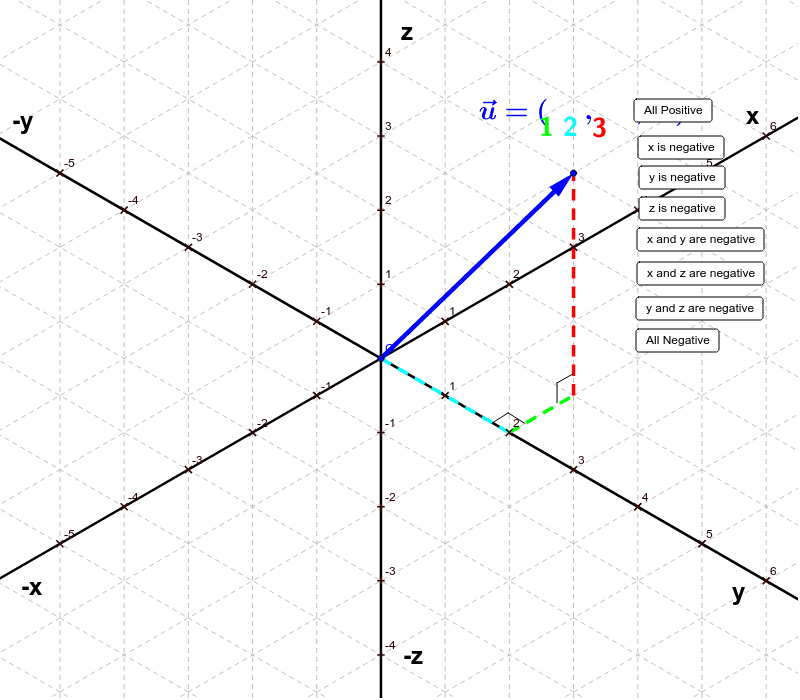
This applet allows students to explore the effects of changing the components of a vector in 3-space. By adjusting the x, y, and z components, students can observe changes in the vector's direction and magnitude. Commands used include Line, Segment, Vector, Point, and Intersect. Suitable for high school and above students learning about 3D vectors.
GeoGebra Commands & Parameters
Line(O, z_1) → aLine(O, x_1) → bLine(O, y_1) → cSegment(O, y_2) → eSegment(y_2, A) → gSegment(A, B) → hVector(O, B) → uSegment(C, H) → iPoint(g) → ISegment(C, I) → jSegment(D, J) → kSegment(D, K) → lSegment(y_2, E) → dSegment(E, F) → fVector(O, F) → vSegment(y_{13}, E_1) → d_1Segment(A_1, B_1) → h_1Segment(O, y_{-2}) → mVector(O, B_1) → wSegment(A_2, B_2) → h_2Segment(z_{-3}, G) → nSegment(G, L) → pVector(O, L) → zSegment(O, x_{-1}) → qSegment(x_{-1}, M) → rSegment(M, N) → sVector(O, N) → tSegment(x_{-1}, P) → b_1Segment(P, Q) → c_1Vector(O, Q) → u_1Intersect(d_1, h_1) → RSegment(R, S) → a_1Vector(O, S) → v_1Segment(y_{-2}, T) → e_1Segment(T, U) → f_1Vector(O, U) → w_1
AI Drawing Prompt Reference
Draw a vector in 3D space and adjust its direction and magnitude by changing the sliders for x, y, and z. First, draw the x, y, and z axes, then create vector u from the origin to point B, and finally draw line segment CI and vector v from the origin to point F.
The prompt above was compiled from the original drawing commands and is for reference only.