
Exploring the Base Position
Loading the math board and drawing, please wait…
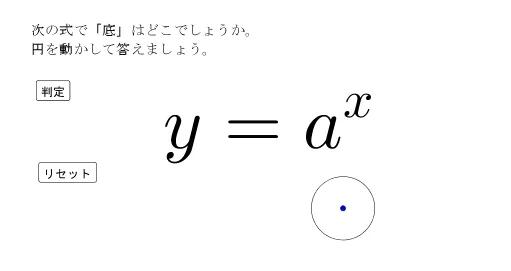
This example demonstrates interactive exploration of the base position in a geometric figure. It involves core math concepts like coordinate geometry, transformations, and function graphing. Construction highlights the use of GeoGebra commands/objects such as Circle, IsInRegion, and ClosestPoint. Suitable for high school students learning geometric transformations and coordinate geometry applications.
GeoGebra Commands & Parameters
Circle(A, r) → cIsInRegion(B, a) → bIsInRegion(C, a) → dIsInRegion(D, a) → eIsInRegion(E, a) → fClosestPoint({B, C, D, E}, A) → N
AI Drawing Prompt Reference
Draw a geometric figure with a circle and four points, where each point lies within a certain region, then find the closest point from the circle's center to these four points, and connect the points and the closest point to the center with lines, illustrating concepts of coordinate geometry and geometric transformations.
The prompt above was compiled from the original drawing commands and is for reference only.