
Exploring Rotations
Loading the math board and drawing, please wait…
In collections
Performing Transformations
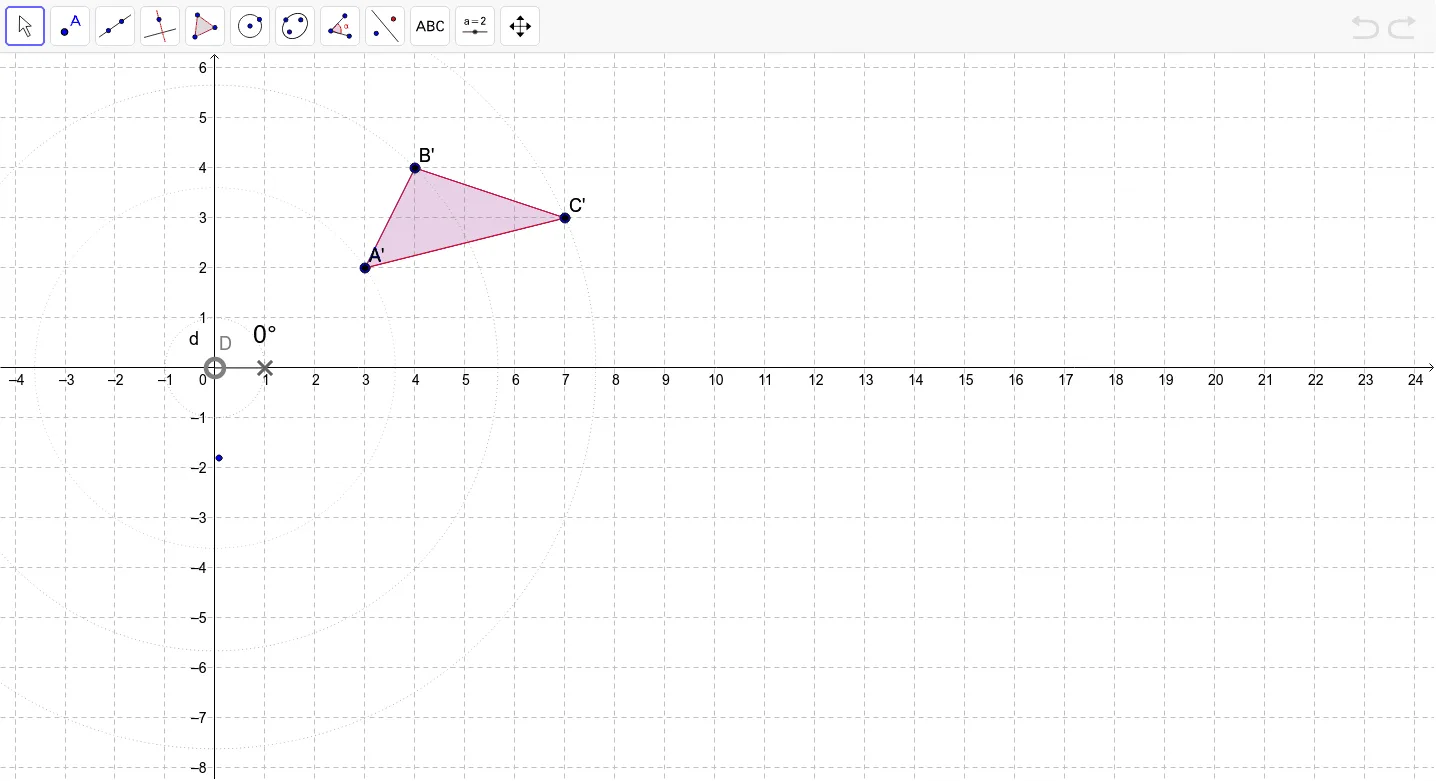
This example demonstrates the concept of rotation transformation, focusing on how shapes change under rotation around a center point. Key math concepts include rotation, angles, and geometric transformations. It uses commands like Polygon, Circle, Point, CircleSector, Angle, Rotate, and CircleArc in GeoGebra for construction. Suitable for high school students learning about geometric transformations.
GeoGebra Commands & Parameters
Polygon(A, B, C) → poly1, c, a, bCircle(D, 1) → dPoint(d) → FCircleSector(D, E, F) → eAngle(E, D, F) → αRotate(A, α, D) → A'Rotate(B, α, D) → B'Rotate(C, α, D) → C'Polygon(A', B', C') → poly1', c', a', b'CircleArc(D, A, A') → fCircleArc(D, B, B') → gCircleArc(D, C, C') → hCircle(D, A) → kCircle(D, B) → pCircle(D, C) → q
AI Drawing Prompt Reference
Draw a triangle ABC rotated around point D. After rotation by angle α, triangle A'B'C' is formed. Use circular arcs to connect point D to the rotated vertices, creating three arcs. Show the relationship between the original and rotated triangles and arcs, suitable for students learning geometric transformations.
The prompt above was compiled from the original drawing commands and is for reference only.