
Geometric Reflections: Vertical, Horizontal & 45° Diagonal Mirrors
Loading the math board and drawing, please wait…
In collections
Performing Transformations
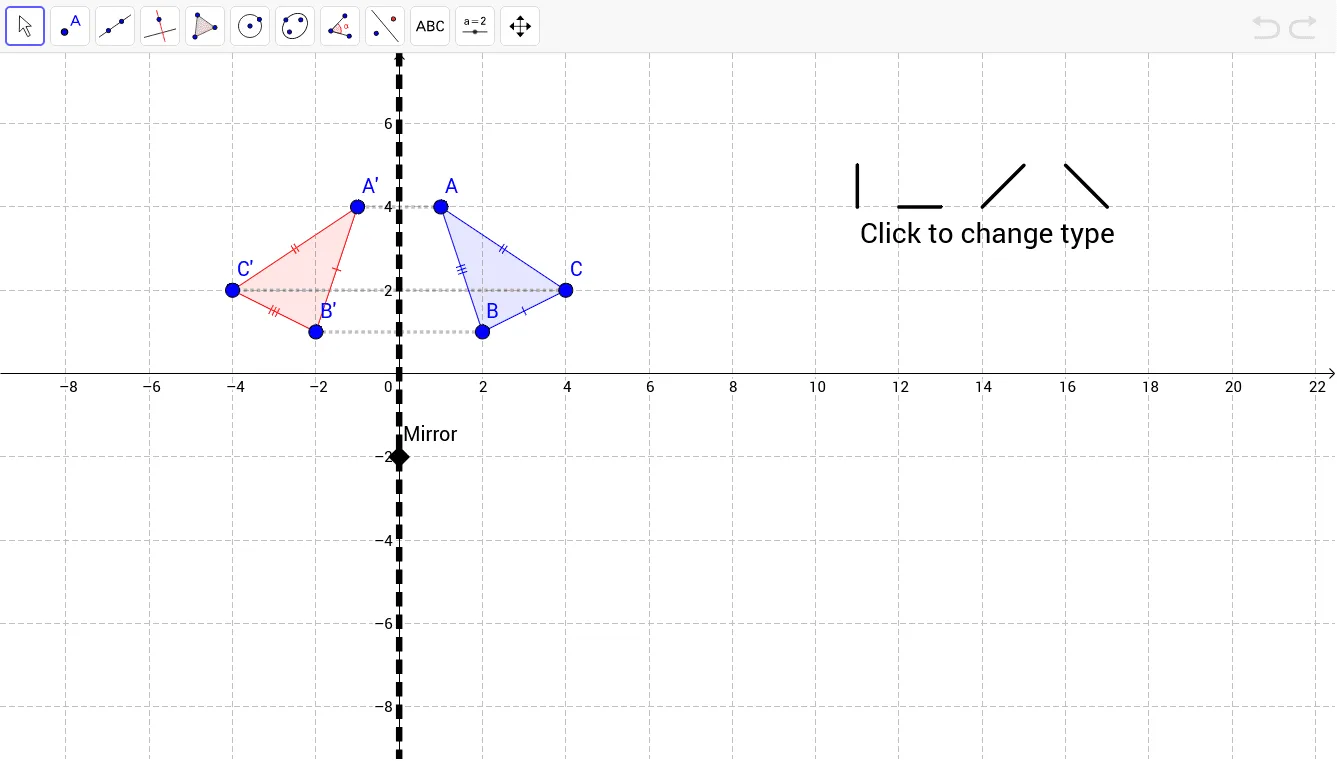
This GeoGebra example demonstrates basic geometric reflection transformations.①What it shows: By constructing triangle ABC and its reflections across vertical axis, horizontal axis, and 45° diagonal line, students can visually understand the properties of reflection transformations.②Core math concepts: axial symmetry, mirror image properties, reflections preserve size and shape, line segments connecting corresponding points are perpendicular bisected by the axis of symmetry.③Construction method: Use Polygon command to draw triangle ABC, Segment command to draw axes (vert, horiz, diag), and Mirror command to generate mirror points (A', B', C') and mirrored polygon (poly1'). Students can observe coordinate changes after reflection.④Target audience: middle school geometry, coordinate geometry introduction; use cases: understanding reflection concepts, exploring symmetry, verifying reflection properties.
GeoGebra Commands & Parameters
Polygon(A, B, C) → poly1, c, a, bSegment(D, E) → dSegment(F, G) → eSegment(H, I) → fLine(J, If[vert, x = 0, If[horiz, y = 0, If[diag, y = x, y = -x]]]) → gSegment(K, L) → hMirror(A, g) → A'Mirror(B, g) → B'Mirror(C, g) → C'Polygon(A', B', C') → poly1', c', a', b'Segment(C, C') → iSegment(A, A') → jSegment(B', B) → k
AI Drawing Prompt Reference
Draw a triangle ABC, then reflect it across a vertical axis, a horizontal axis, and a 45-degree diagonal line to create a new triangle A'B'C'. First, draw triangle ABC, then draw the vertical axis, horizontal axis, and 45-degree diagonal line, and use these axes to reflect the triangle, observing the relationship between the reflected triangle and the corresponding points.
The prompt above was compiled from the original drawing commands and is for reference only.