
Exploring Rotation 3
Loading the math board and drawing, please wait…
In collections
Geometry Transformations
This example demonstrates how to explore geometric transformations by rotating 180 degrees. Key mathematical concepts include rotation, angles, and geometric transformations. It uses commands like Polygon and Rotate in GeoGebra. Suitable for middle school and above students learning geometric transformations and rotations.
GeoGebra Commands & Parameters
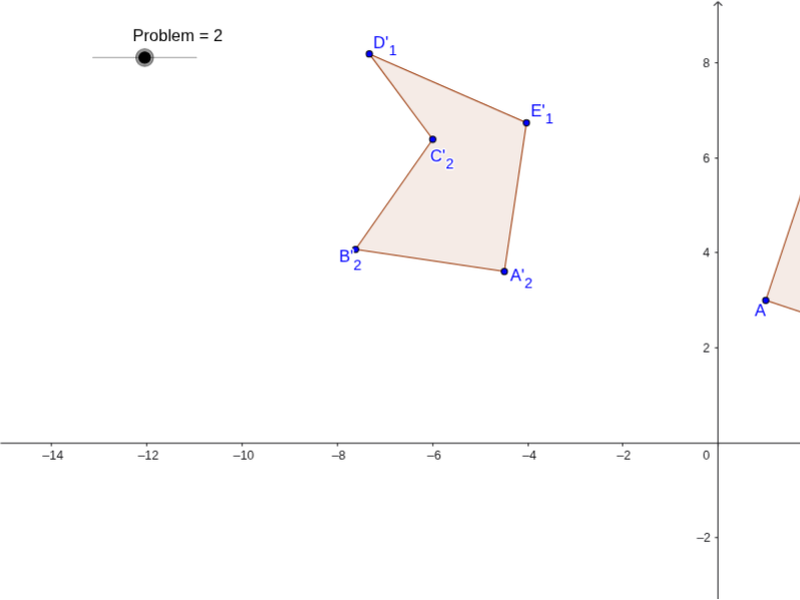
Polygon(A, E, D, C, B) → poly1, a, b, c, d, eRotate(A, Angle°, F) → A'Rotate(E, Angle°, F) → E'Rotate(D, Angle°, F) → D'Rotate(C, Angle°, F) → C'Rotate(B, Angle°, F) → B'Polygon(A', E', D', C', B') → poly1', a', b', c', d', e'Rotate(A, 100°, G) → A'_2Rotate(E, 100°, G) → E'_1Rotate(D, 100°, G) → D'_1Rotate(C, 100°, G) → C'_2Rotate(B, 100°, G) → B'_2Polygon(A'_2, E'_1, D'_1, C'_2, B'_2) → poly1'_1, a'_1, b'_1, c'_1, d'_1, e'_1Rotate(A, 110°, H) → A'_3Rotate(E, 110°, H) → E'_3Rotate(D, 110°, H) → D'_3Rotate(C, 110°, H) → C'_3Rotate(B, 110°, H) → B'_3Polygon(A'_3, E'_3, D'_3, C'_3, B'_3) → poly1'_2, a'_2, b'_2, c'_2, d'_2, e'_2
AI Drawing Prompt Reference
Draw a pentagon with vertices in counterclockwise order. Rotate the entire pentagon 180 degrees around a center point, keeping the original visible, to create a second pentagon. Then rotate the original pentagon 100 degrees around a different center point to form a third pentagon. Finally, rotate the original pentagon 110 degrees around a third center point to produce a fourth pentagon. All rotated pentagons remain visible, sharing their respective centers, demonstrating the effect of different rotation angles.
The prompt above was compiled from the original drawing commands and is for reference only.