
Exploring Parameters of a Linear Equation with GeoGebra
Loading the math board and drawing, please wait…
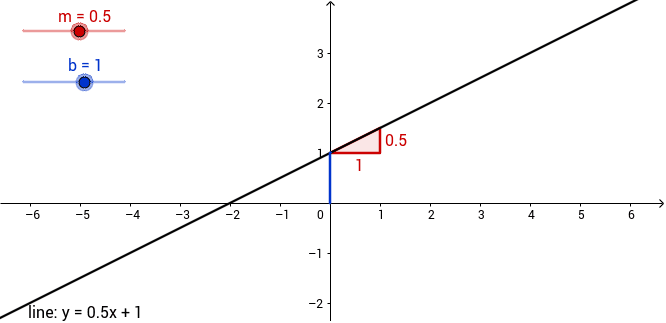
① This example demonstrates how to explore the parameters of a linear equation using GeoGebra, showing how changes in slope and intercept affect the position of a line and its intersection with axes or another line. ② The core mathematical concepts include slope, intercept, intersection of two lines, and segment length and position, integrating algebraic and geometric reasoning. ③ The construction uses the Slope command to compute the slope, the Intersect command to find the intersection point, and the Segment command to draw a segment, with objects a, b, m, m_1, line, A, B serving as parameters. ④ It is suitable for high‑school algebra and geometry classes, as well as introductory college mathematics courses, and can be used for classroom demonstrations, problem solving, and student inquiry activities.
GeoGebra Commands & Parameters
Slope(line) → m_1Intersect(line, yAxis) → AIntersect(xAxis, yAxis) → BSegment(B, A) → a
AI Drawing Prompt Reference
Draw a straight line in a Cartesian coordinate system and show its slope. Find the point where the line meets the vertical axis, then find the point where the horizontal and vertical axes meet. Connect these two points with a segment along the vertical axis, so the segment runs from the origin to the line's vertical-axis intersection. This construction highlights how the slope and intercept of a linear equation determine the line's position and the length of the segment between the axes.
The prompt above was compiled from the original drawing commands and is for reference only.