
Exploring Nets of Solids by AlisonT
Loading the math board and drawing, please wait…
In collections
Surface Area
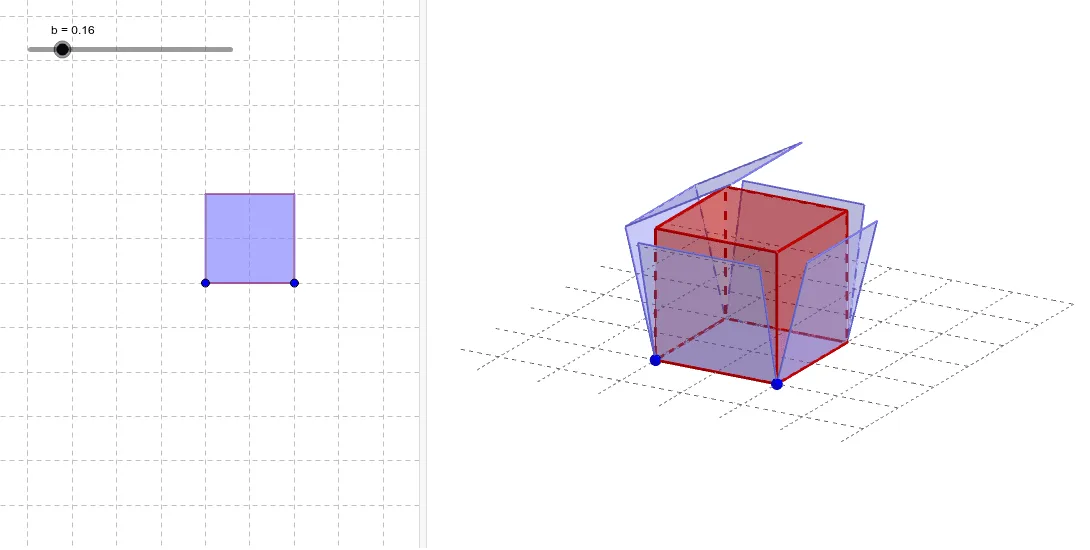
This example demonstrates how to construct and explore the nets of a cube using GeoGebra. It involves core mathematical concepts such as solid geometry, polygons, and geometric construction. The construction uses commands like Cube, Net, and objects like A, B, a, C, D, E, F, G, H, faceABCD, faceADHE, faceABFE, faceBCGF, faceCDHG, faceEFGH, edgeAD, edgeAB, edgeBC, edgeCD, edgeAE, edgeDH, edgeEH, edgeEF, edgeBF, edgeFG, edgeCG, edgeGH, b, c, I, J, K, L, M, N, O, P, Q, R, S. It is suitable for high school students learning about nets in solid geometry and geometric constructions.
GeoGebra Commands & Parameters
Cube(A, B, xOyPlane) → a, C, faceBCGF, faceCDHG, faceEFGH, edgeAD, edgeAB, edgeBC, edgeCD, edgeAE, edgeDH, edgeEH, D, edgeEF, edgeBF, edgeFG, edgeCG, edgeGH, E, F, G, H, faceABCD, faceADHE, faceABFENet(a, b) → c, I, R, S, T, U, V, faceIJKL, faceILNM, faceIJRQ, faceJKTS, faceKLVU, J, faceMNOP, edgeIL, edgeIJ, edgeJK, edgeKL, edgeLN, edgeMN, edgeIM, edgeIQ, edgeQR, K, edgeJR, edgeJS, edgeST, edgeKT, edgeKU, edgeUV, edgeLV, edgeNO, edgeOP, edgeMP, L, M, N, O, P, Q
AI Drawing Prompt Reference
Draw the net of a cube, consisting of six square faces: faceABCD, faceADHE, faceABFE, faceBCGF, faceCDHG, and faceEFGH. First, create a cube, then unfold its surface to form a flat shape, showing the connections between the six square faces.
The prompt above was compiled from the original drawing commands and is for reference only.