
Exploration of Basic Transformations
Loading the math board and drawing, please wait…
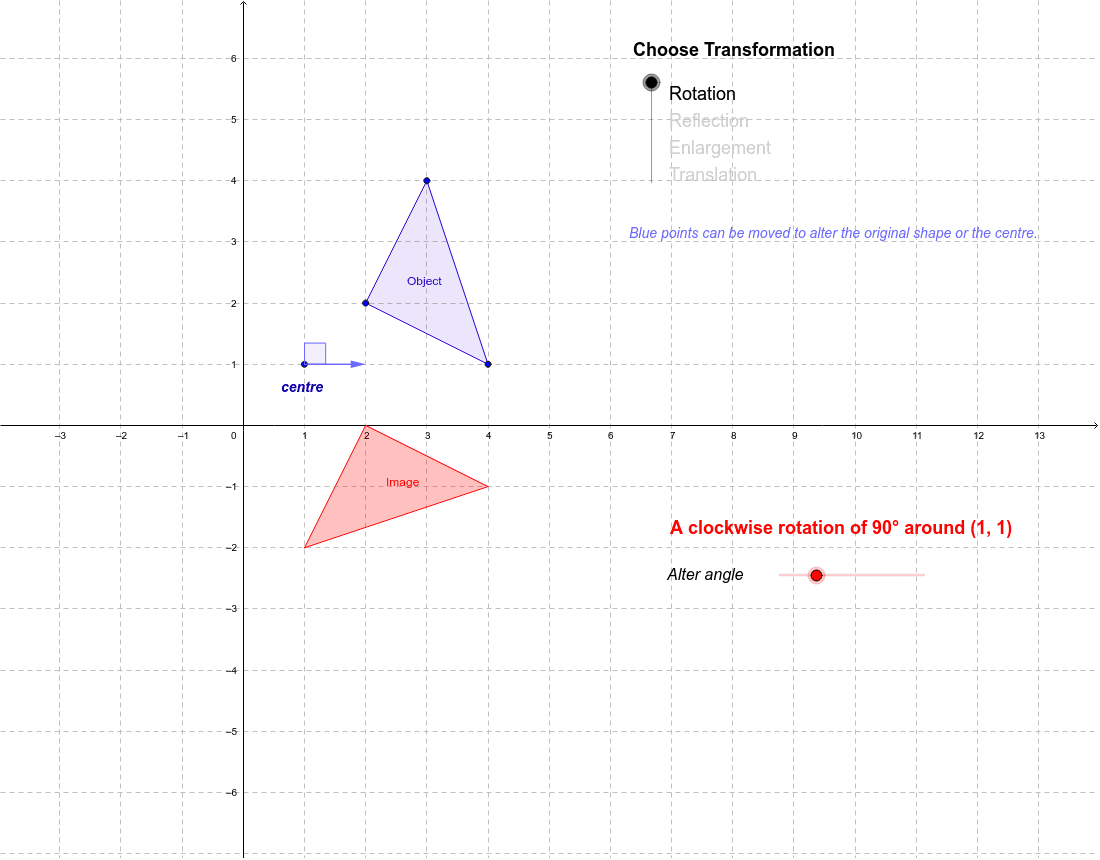
This example illustrates four basic geometric transformations: reflection, rotation, enlargement, and translation. Using GeoGebra commands such as Polygon, Dilate, Translate, etc., it provides a visual understanding of these transformations and their applications. Suitable for students at junior high school level and above.
GeoGebra Commands & Parameters
Polygon(C, D, B) → poly1, b, c, dDilate(C, a, A) → C'_1Dilate(D, a, A) → D'_1Dilate(B, a, A) → B'_1Polygon(C'_1, D'_1, B'_1) → poly1'_1, b', c', d'Ray(A, C) → eRay(A, B) → fRay(A, D) → gTranslate(C, Vector[(horz, vert)]) → C'_2Translate(D, Vector[(horz, vert)]) → D'_2Translate(B, Vector[(horz, vert)]) → B'_2Polygon(C'_2, D'_2, B'_2) → poly1'_2, b'_1, c'_1, d'_1Vector(C, C'_2) → uVector(B, B'_2) → vVector(D, D'_2) → wRotate(C, -α, A) → C'_3Rotate(D, -α, A) → D'_3Rotate(B, -α, A) → B'_3Polygon(C'_3, D'_3, B'_3) → poly1'_3, b'_2, c'_2, d'_2Point(xAxis) → ELine(F, E) → hMirror(C, h) → C'Mirror(D, h) → D'Mirror(B, h) → B'Polygon(C', D', B') → poly1', b'_3, c'_3, d'_3Vector(A, G) → zAngle(G, A, H) → β
AI Drawing Prompt Reference
Draw a triangle and create four transformed copies: a dilation about a chosen center point with a given scale factor, a translation by a specified horizontal and vertical vector, a rotation about the same center by a given angle, and a reflection across a line defined by two points. Also draw rays from the center to each original vertex, show the translation vectors for each vertex, and indicate the rotation angle and an additional angle formed by two other points.
The prompt above was compiled from the original drawing commands and is for reference only.