
Expansion Using Multiplication Frame, Algebra
Loading the math board and drawing, please wait…
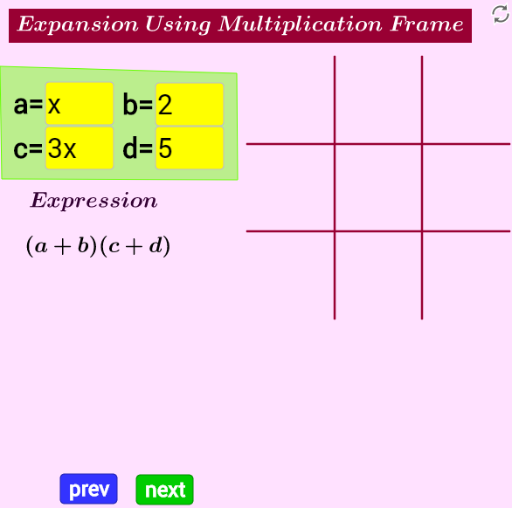
This example demonstrates algebraic expansion using a multiplication frame. It involves core math concepts like algebraic operations, polynomial multiplication, and geometric representation. The construction uses GeoGebra commands and objects such as Textfield, Segment, Text, and Polygon. Suitable for high school mathematics teaching to help students understand the geometric meaning of algebraic expansion.
GeoGebra Commands & Parameters
Textfield(a) → InputBoxaTextfield(b) → InputBoxbTextfield(c) → InputBoxcTextfield(d) → InputBoxdSegment(C14, D14) → seg1Segment(C15, D15) → seg2Segment(C16, D16) → seg3Segment(C17, D17) → seg4Text(h, C21) → textabText(q, D21) → textbcText(p, C22) → textadText(r, D22) → textbdText(a, C20) → textaText(b, D20) → textbText(c, B21) → textcText(d, B22) → textdText(multiply, B20) → text6Polygon(I, J, K, L) → poly1, i_1, j_1, k_1, l_1Polygon(M, N, O, P) → poly2, m_1, n, o, p_1Polygon(Q, R, S, T) → poly3, q_1, r_1, s_1, t_1Polygon(A_1, B_1, C_1, D_1) → poly5, a_1, b_1, c_1, d_1Polygon(E_1, F_1, G_1, H_1) → poly6, e_1, f_1, g_1, h_1Polygon(I_1, J_1, K_1, L_1) → poly7, i_2, j_2, k_2, l_2Polygon(M_1, N_1, O_1, P_1) → poly8, m_2, n_1, o_1, p_2Polygon(Q_1, R_1, S_1, T_1) → poly3_1, q_2, r_2, s_2, t_2Polygon(U_1, V_1, W_1, Z_1) → poly4, u_1, v_1, w_1, z_1Polygon(A_2, B_2, C_2, D_2) → poly9, a_2, b_2, c_2, d_2