
Exercise 5: Random Triangle and Vector Quadrilateral Exploration
Loading the math board and drawing, please wait…
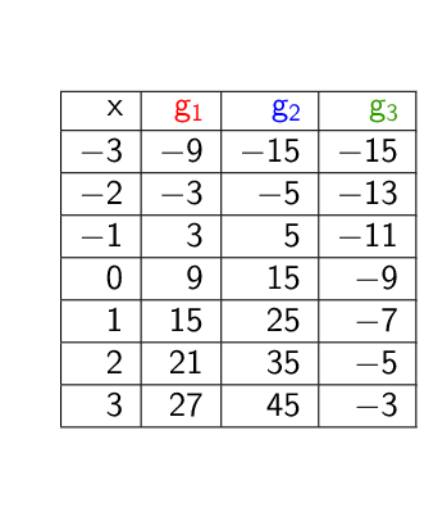
This GeoGebra example demonstrates a randomly generated triangle and a quadrilateral constructed from related vectors, with data displayed in a table. The core mathematical concepts include triangles, vectors, rational numbers, general quadrilaterals, and isosceles triangle properties. The construction uses the Random command to generate random points or values, TableText to create a data table, and defines multiple objects such as segments a, b, c and their copies a_1, b_1, c_1, points A_1, B_1, C_1, D_1, lines g_1, g_2, g_3, and a button for interactive refresh. Suitable for middle or high school students learning geometry and vectors, and useful for classroom demonstrations of randomness combined with geometric properties.
GeoGebra Commands & Parameters
Random(-10, 10) → aRandom(-15, 15) → a_1Random(-10, 10) → bRandom(-15, 15) → b_1Random(-10, 10) → cRandom(-15, 15) → c_1TableText({{A_1, B_1, C_1, D_1}, {-3, g_1(-3), g_2(-3), g_3(-3)}, {-2, g_1(-2), g_2(-2), g_3(-2)}, {-1, g_1(-1), g_2(-1), g_3(-1)}, {0, g_1(0), g_2(0), g_3(0)}, {1, g_1(1), g_2(1), g_3(1)}, {2, g_1(2), g_2(2), g_3(2)}, {3, g_1(3), g_2(3), g_3(3)}}, "|_r") → text1