
Euclid: The Game – Level 24: Constructing Circles
Loading the math board and drawing, please wait…
In collections
Euclid: The Game
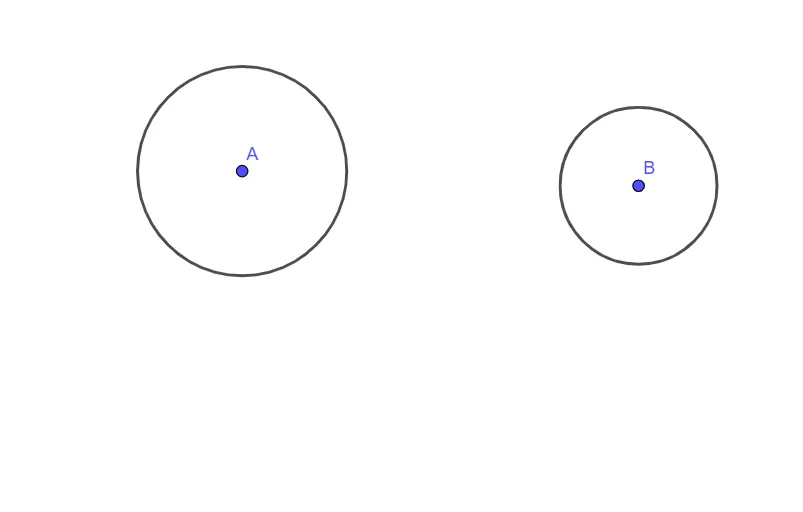
This example demonstrates how a target geometry configuration can be achieved by constructing circles in an Euclid-style “game level.” It focuses on circle fundamentals—using given points and constraints to define circle objects, then relying on their relative positions (e.g., whether they satisfy intersection/placement requirements) to progress toward the level goal. The core math concepts include circle elements (center and radius/distance-based definition), point–circle geometric relationships, and how auxiliary constructions support solving. In GeoGebra, the construction is based on the provided command and objects: it uses the “Circle” command to build circle objects associated with points/parameters A, B and auxiliary objects c, d. Suitable for middle and high school learners, especially for lessons on geometric construction and circle properties, as well as self-practice for developing spatial geometry intuition.
GeoGebra Commands & Parameters
Circle(A, 2) → cCircle(B, 1.5) → d
AI Drawing Prompt Reference
Draw two circles on the same plane. Use two given points, A and B, as circle centers. Construct the first circle centered at A with radius 2, then construct the second circle centered at B with radius 1.5. Keep both circles in the same coordinate system, emphasizing the correct center–radius relationship. Build them in order: circle at A first, then circle at B.
The prompt above was compiled from the original drawing commands and is for reference only.