
Estimating the Whole: Geometric and Algebraic Application
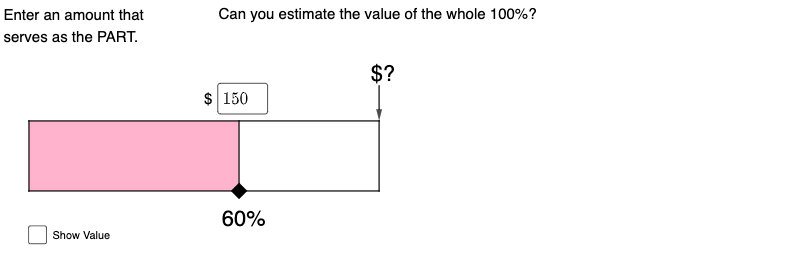
Loading the math board and drawing, please wait…
In collections
Percents Resources
This example demonstrates how to estimate the area of complex shapes using GeoGebra, involving concepts of geometry, algebra, and ratios. The construction uses commands like Intersect, Textfield, and Point to create the diagram. Suitable for middle school or high school students learning geometric constructions and algebraic applications.
GeoGebra Commands & Parameters
Intersect(xAxis, yAxis) → ATextfield(k) → InputBox1Intersect(xAxis, yAxis) → BPoint(xAxis) → EPoint(yAxis) → ISegment(B, E) → fSegment(E, F) → gSegment(F, I) → hSegment(I, B) → iSegment(J, K) → jPolygon(B, J, K, I) → q1, b, j_1, k_1, i_1Vector(L, M) → u
AI Drawing Prompt Reference
On a coordinate plane, mark the origin as a reference point and draw a horizontal axis and a vertical axis. Place a point on the horizontal axis and another point on the vertical axis, then connect these points and the origin with line segments to form a triangular region. Add an input text box near the triangle to display a numeric value. Next, construct a quadrilateral with four vertices, two lying on the axes and two in the plane, connected by segments to form a closed shape. Finally, include a vector arrow to indicate direction or displacement, creating a diagram for estimating areas of complex shapes using geometric and algebraic relationships.
The prompt above was compiled from the original drawing commands and is for reference only.