
Estimating Pi with Geometric Probability
Loading the math board and drawing, please wait…
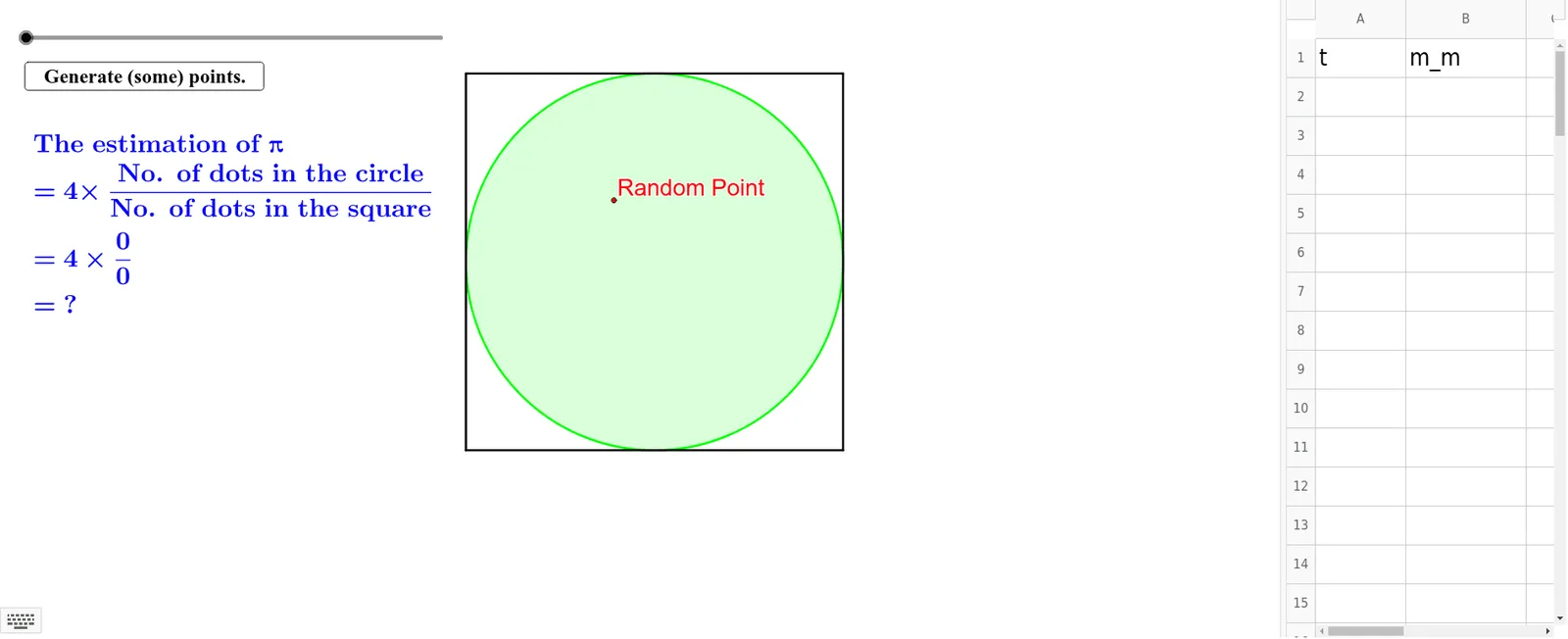
This example demonstrates how to estimate Pi using geometric probability by analyzing the relationship between a circle and a square. Key math concepts include probability & statistics, area of geometric shapes, and definite integrals. GeoGebra commands like Intersect, Point, Polygon, Circle, CountIf, and Name are used to construct the simulation. Suitable for high school mathematics education or for those interested in the intersection of probability and geometry.
GeoGebra Commands & Parameters
Intersect(xAxis, yAxis) → APoint(xAxis) → BPolygon(A, B, 4) → poly1, a, b, c, d, C, DCircle(E, 5) → eCountIf(x < 5, A2:A3001) → d_iCountIf(x < 10, A2:A3001) → d_tName(m_m) → B1Name(t) → A1
AI Drawing Prompt Reference
Draw a square with a side length of 10 and a circle inscribed in it with a radius of 5. Randomly generate 3000 points within the square and count how many fall inside the circle and how many fall inside the square.
The prompt above was compiled from the original drawing commands and is for reference only.