
Equivalent Fractions with Number Lines
Loading the math board and drawing, please wait…
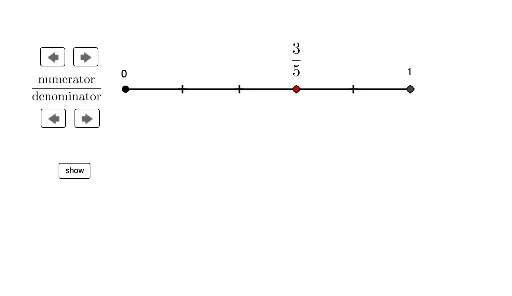
① This GeoGebra example demonstrates how to generate equivalent fractions using two parallel number lines, where points are marked at equal intervals to show the same value represented by different numerators and denominators. ② The core mathematical concept is the fundamental property of fractions: multiplying both numerator and denominator by the same non-zero integer preserves the fraction's value. It also reinforces the idea of partitioning a number line into equal segments. ③ The construction uses the Segment command to draw the number lines, Sequence to create equally spaced points, a slider named multiplier to control the scaling factor, and dynamic text objects (text1, text2, text3) to display the fraction and the multiplication steps. A change button allows switching between different starting fractions. ④ This is suitable for upper elementary and middle school students learning fraction equivalence, and can be used for interactive classroom demonstrations or self-paced exploration.
GeoGebra Commands & Parameters
Segment(A, B) → line1Segment(C, D) → line2Sequence(A + ((i * line1 / denom1), 0), i, 1, denom1) → dotsdenom1Sequence(C + ((i * line1 / denom1), 0), i, 1, denom1) → dotsdenom2Sequence(C + (((i * line2)) / denom2, 0), i, 1, denom2) → dotsdenom3
AI Drawing Prompt Reference
Draw two parallel number lines with equally spaced points marked on them to show the same value represented by different numerators and denominators. Use a slider to control a scaling factor, and dynamic text to display fractions and multiplication steps. Include a button to switch between different starting fractions, visually demonstrating the fundamental property of fractions and the concept of partitioning a number line.
The prompt above was compiled from the original drawing commands and is for reference only.