
Equilateral Triangular Prism
Loading the math board and drawing, please wait…
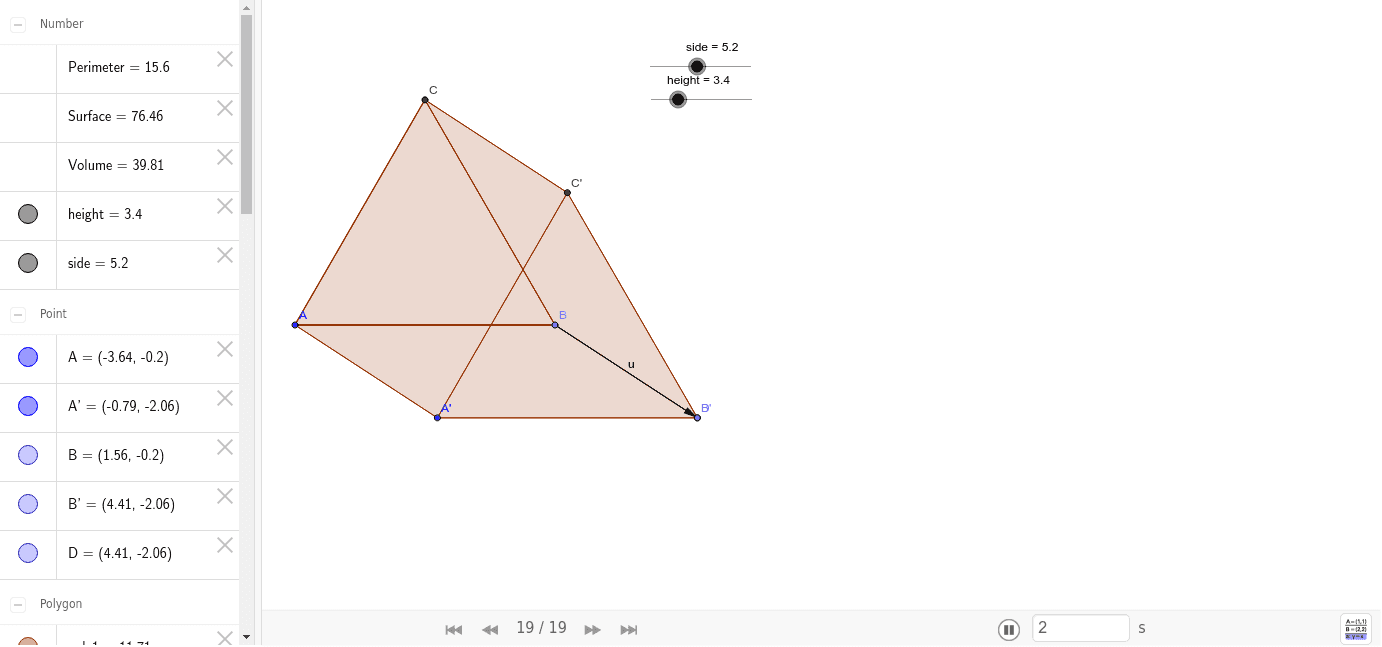
This example demonstrates the construction and calculation of an equilateral triangular prism. Key mathematical concepts include solid geometry, volume formulas, and geometric construction. Construction involves using GeoGebra commands like Point, Segment, Polygon, and Translate to create the prism's faces and edges. Suitable for middle or high school mathematics to understand three-dimensional geometry and volume calculations.
GeoGebra Commands & Parameters
Point(Circle[A, side]) → BSegment(A, B) → aPolygon(A, B, 3) → poly1, b, a_1, b_1, CPoint(Circle[B, height]) → DSegment(B, D) → cVector(B, D) → uTranslate(A, u) → A'Translate(B, u) → B'Translate(C, u) → C'Polygon(A', B', C') → poly1', c', a', b'Polygon(C, C', A', A) → poly2, c_1, c'_1, a'_1, a_2Polygon(A, B, D, A') → poly3, a_3, b_2, d, a'_2Polygon(C, C', D, B) → poly4, c_2, c'_2, d_1, b_3Perimeter(poly1) → Perimeter
AI Drawing Prompt Reference
The construction starts with a base equilateral triangle defined by three vertices, a height vector is defined from one base vertex to a point at the desired prism height, the translation of all three base vertices by this vector yields the top triangle, and the side faces are formed by quadrilaterals linking each base edge to its corresponding top edge.
The prompt above was compiled from the original drawing commands and is for reference only.