
Equation of a Straight Line Given Linear Graph (Practice)
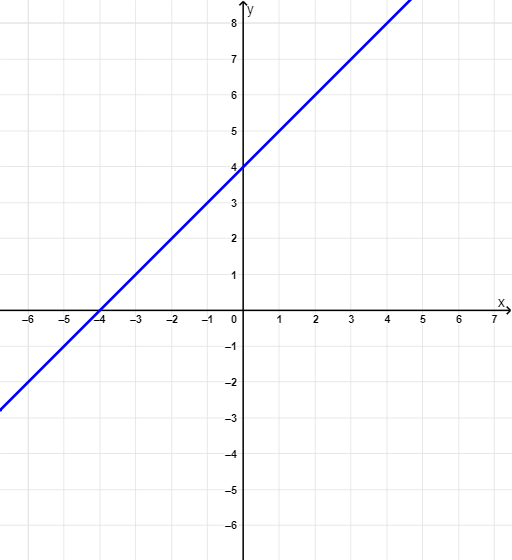
Loading the math board and drawing, please wait…
In collections
Introduction to Linear Functions and Graphs
This example demonstrates how to form the equation of a straight line given its graph. It involves core math concepts like equations, linear functions, and slope. Constructed using GeoGebra commands such as Random, RandomElement, Point, Line, Slope, Textfield, and If. Suitable for high school students for self-directed learning or teacher demonstrations.
GeoGebra Commands & Parameters
Random(-4, 5) → c, 4RandomElement({-4, -3, -2.5, -2, -1.5, -1, -0.5, 0, 0.5, 1, 1.5, 2, 3, 4}) → m, 1Point(f) → PPoint(f) → BLine(P, B) → aSlope(a) → m_1Textfield(f_{answer}) → inputBox1If(CorrectAnswer ≟ true, "Well Done, Pro! Try another one...", "Take a break, try again!") → text2Slope(a) → m_2Slope(a) → m_3
AI Drawing Prompt Reference
Draw a straight line using two points P and B to create line a. Calculate the slope m1 of line a and input it into the input box inputBox1. Based on the slope m1, if it's correct, display 'Well Done, Pro! Try another one...', otherwise display 'Take a break, try again!'.
The prompt above was compiled from the original drawing commands and is for reference only.