
Enlargement game - find the image
Loading the math board and drawing, please wait…
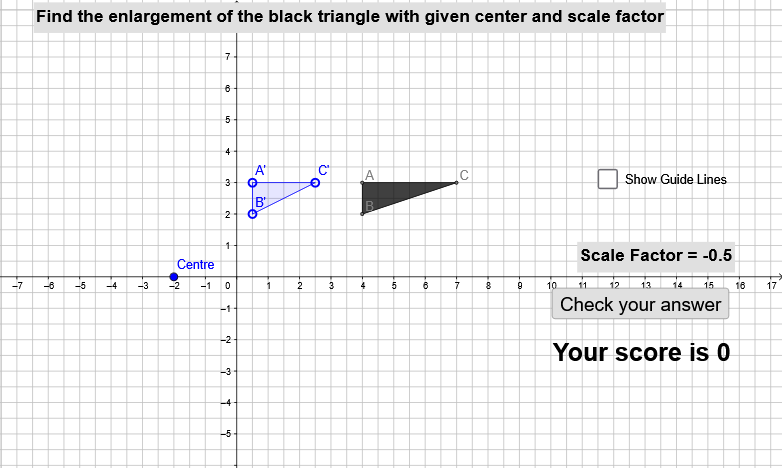
This example demonstrates the concept of finding the image of a shape under enlargement. It involves core mathematical concepts like dilation, proportionality, vectors, and polygon construction. GeoGebra commands and objects used include Polygon, Dilate, Segment, Vector, Sequence, and Line. Suitable for high school students learning geometric transformations and similarity.
GeoGebra Commands & Parameters
Polygon(A, B, C) → poly1, c, a, bPolygon(H, I, M) → poly2, m_1, h_1, i_1Dilate(A, sf, O) → A'Dilate(B, sf, O) → B'Dilate(C, sf, O) → C'Segment(O, A) → fSegment(O, B) → gSegment(O, C) → hSegment(O, A') → iSegment(O, B') → jSegment(O, C') → kVector(O, F) → uVector(O, G) → vVector(O, J) → wSequence(Polygon[((((sf - 1) * k / nt) + 1) * (A - O)) + O, ((((sf - 1) * k / nt) + 1) * (B - O)) + O, ((((sf - 1) * k / nt) + 1) * (C - O)) + O], k, 1, floor((nt * t))) → list1Line(K, L) → lLine(N, P) → mPolygon(Dilate[A, (t * (sf - 1)) + 1, O], Dilate[B, (t * (sf - 1)) + 1, O], Dilate[C, (t * (sf - 1)) + 1, O]) → poly3, n, p, q
AI Drawing Prompt Reference
Draw a geometric illustration showing the image of a shape under enlargement. Start by creating two polygons, then dilate the vertices of one polygon from a central point to form its image. Connect the central point to all original and dilated vertices. Construct a sequence of intermediate polygons using vectors, and finally add two guide lines. The illustration demonstrates dilation, proportionality, and similarity.
The prompt above was compiled from the original drawing commands and is for reference only.