
Ellipsoid
Loading the math board and drawing, please wait…
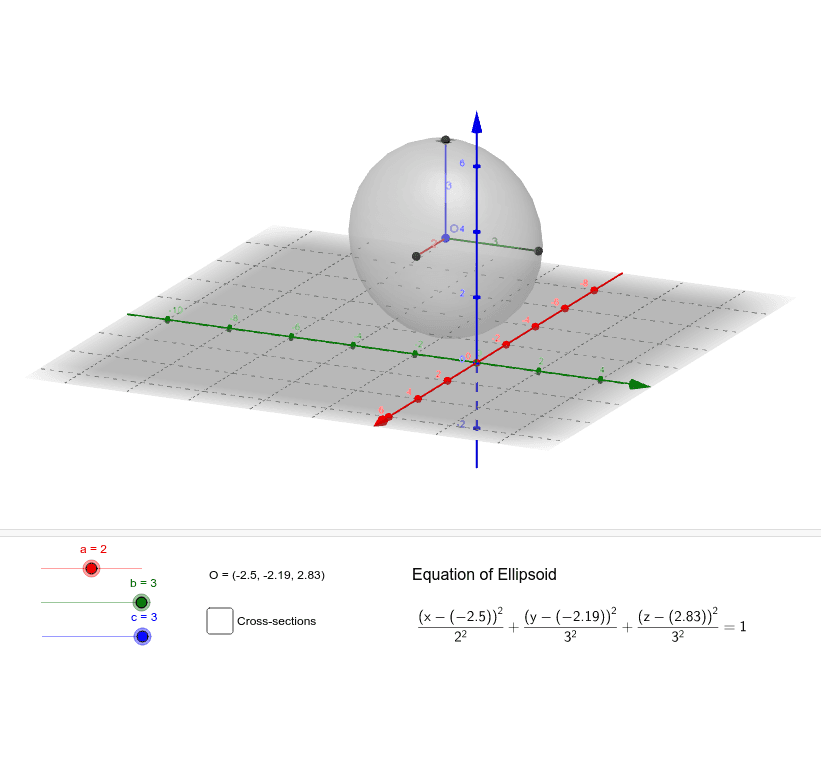
This example demonstrates the construction of an ellipsoid. Key mathematical concepts include the definition and properties of an ellipsoid in solid geometry. Using GeoGebra commands such as Surface, Segment, and CurveCartesian, the parameters of the ellipsoid can be dynamically adjusted to observe its changes. Suitable for high school and above students or teachers for teaching and learning.
GeoGebra Commands & Parameters
Surface(((a * cos(u)) * sin(v)) + x(O), ((b * sin(u)) * sin(v)) + y(O), (c * cos(v)) + z(O), u, 0, 6.283185307179586, v, 0, 3.141592653589793) → dSegment(A, O) → eSegment(O, B) → fSegment(C, O) → gCurveCartesian((a * cos(t)) + ox, (b * sin(t)) + oy, oz, t, 0, 6.283185307179586) → hCurveCartesian(ox, (b * cos(t)) + oy, (c * sin(t)) + oz, t, 0, 6.283185307179586) → iCurveCartesian((a * cos(t)) + ox, oy, (c * sin(t)) + oz, t, 0, 6.283185307179586) → j
AI Drawing Prompt Reference
Draw an ellipsoid by adjusting the lengths of the major axis a, minor axis b, and vertical axis c to observe its changes. First, draw the three coordinate axes Ox, Oy, and Oz. Then, use the Surface command to draw the ellipsoid surface based on the ellipsoid equation. Next, draw line segments OA, OB, and OC on the coordinate axes. Finally, draw the three generating curves of the ellipsoid.
The prompt above was compiled from the original drawing commands and is for reference only.