
Ellipses from Different Directions
Loading the math board and drawing, please wait…
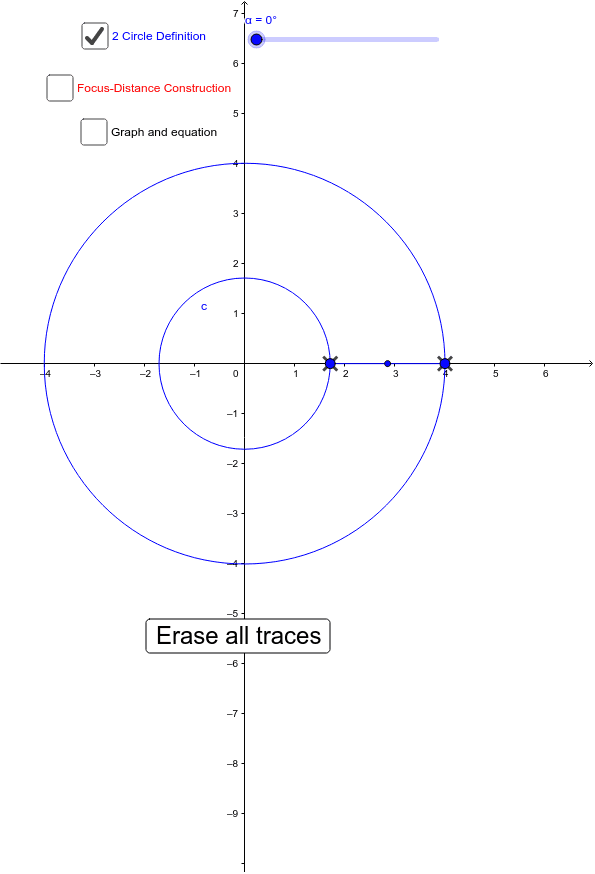
This example demonstrates the effect of viewing ellipses from different directions. Key mathematical concepts include the geometric properties and transformations of ellipses. Using GeoGebra commands such as Intersect, Point, Circle, and Rotate, the generation process of ellipses can be dynamically shown. Suitable for high school mathematics education and learning.
GeoGebra Commands & Parameters
Intersect(xAxis, yAxis) → APoint(xAxis) → BCircle(A, B) → cPoint(xAxis) → CCircle(A, C) → dRotate(C, α, A) → C'Rotate(B, (-α), A) → B'Midpoint(C', B') → DRadius(c) → bRadius(d) → eIntersect(d, xAxis, 2) → GCircle(F1, r) → kCircle(F2, (2 * f) - r) → pIntersect(p, k) → H, I, ,Segment(C', B') → iSegment(F1, I) → jSegment(I, F2) → lSegment(F1, H) → mSegment(H, F2) → n
AI Drawing Prompt Reference
Draw an ellipse viewed from different directions. Start by creating two points A and B on the x-axis, and draw two circles c and d with A and B as centers. Then rotate point C and B to generate C' and B', and find their midpoint D. Next, draw the radii b and e of circles c and d, and their intersections with the x-axis at point G. Use F1 and F2 as foci to draw two circles k and p, and find their intersections H and I with circle k. Finally, connect C' and B', F1 and I, I and F2, F1 and H, and H and F2 to form the outline of the ellipse.
The prompt above was compiled from the original drawing commands and is for reference only.