
Ellipse Optical Property: Constructing Reflection via Tangents and Foci
Loading the math board and drawing, please wait…
In collections
Coordinate Geometry
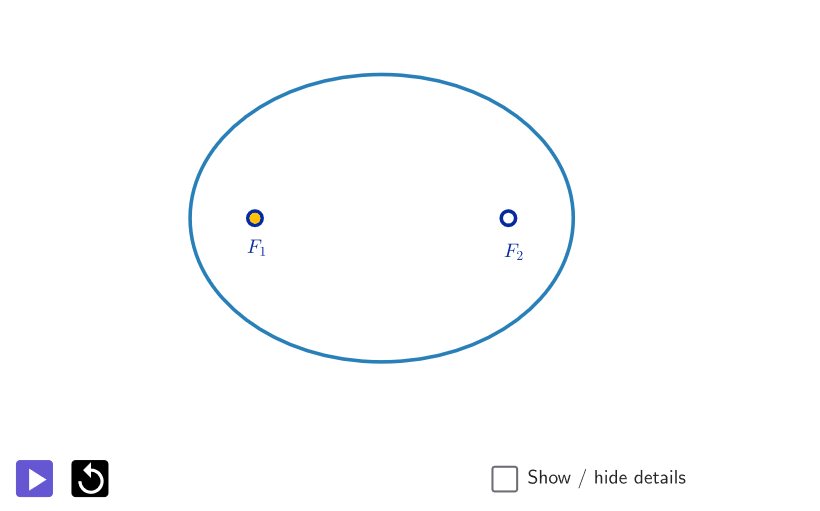
This example demonstrates the optical property of an ellipse: a ray (modeled by a line segment) starting from one focus reflects off the ellipse so that it passes through the other focus. It visually verifies the reflection behavior using geometric constructions rather than relying on purely algebraic computation. Key concepts include the ellipse as a conic section defined by its foci, tangent geometry, and the reflection law (the angle of incidence equals the angle of reflection), implemented through angle measurement and construction by slopes/angle relations. Construction highlights in GeoGebra: Points are created for the foci and a chosen reflection point; Focus specifies the two ellipse foci; Mirror and Tangent establish the reflection relative to the tangent line; PolyLine/Segment draw the incoming and outgoing rays; OrthogonalLine provides helper perpendiculars; Intersect locates critical intersection points; Angle measures the relevant angles to confirm equality; Polygon and related conic/curve objects organize the scene. The construction uses objects such as P, F_1, F_2 and auxiliary points/parameters (e.g., α, β, a, b, c and intersection-defined points) to connect the ellipse’s geometry with its optical interpretation. Suitable for advanced high school through undergraduate students studying analytic geometry, conic sections, and geometric optics-style interpretations.
GeoGebra Commands & Parameters
Point(xAxis) → PPoint(c) → QFocus(c) → F_1, F_2Point(c) → AMirror(A, xAxis) → A'Point(c) → BMirror(B, xAxis) → B'PolyLine(F_1, A, F_2) → aPolyLine(F_1, B, F_2) → bPolyLine(F_1, B', F_2) → ePoint(c) → CMirror(C, xAxis) → C'PolyLine(F_1, C, F_2) → fPolyLine(F_1, C', F_2) → gPoint(c) → DMirror(D, xAxis) → D'PolyLine(F_1, D, F_2) → hPolyLine(F_1, D', F_2) → iPoint(f) → EPoint(h) → FPoint(i) → GPoint(g) → HPolyLine(F_1, Q, F_2) → dPoint(d) → IPoint(e) → JPoint(a) → KPoint(b) → LTangent(A, c) → j,OrthogonalLine(A, j) → kIntersect(c, k, 2) → MAngle(F_1, A, M) → αAngle(M, A, F_2) → βSegment(F_1, A) → lSegment(A, F_2) → mPoint(j) → NPoint(j) → OSegment(N, O) → nPolygon({(x(Corner[1]), -4), (x(Corner[2]), -4), Corner[3], Corner[4]}) → peep
AI Drawing Prompt Reference
Draw an ellipse with two foci F1 and F2. Choose a point A, draw a tangent to the ellipse at A, then draw a perpendicular to this tangent, finding its intersection with the ellipse at point M. Measure the angles F1AM and MAF2 to ensure they are equal. Next, find the symmetric point A' of A with respect to the x-axis, and connect F1A' and F2A'. Repeat this process with different points B, C, D, finding their symmetric points B', C', D', and connecting the corresponding segments. Finally, connect F1 to point Q (an arbitrary point on the ellipse) to ensure the reflection path through Q passes through F2.
The prompt above was compiled from the original drawing commands and is for reference only.