
Ellipse and Square Construction
Loading the math board and drawing, please wait…
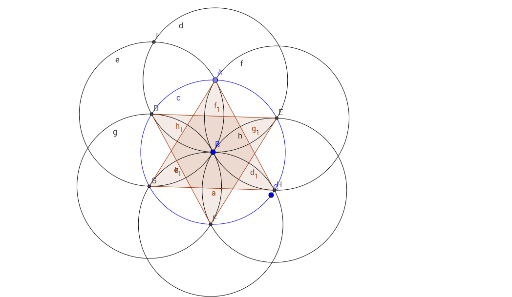
This example demonstrates how to use GeoGebra to draw an ellipse and a square, and explores their relationship. Key mathematical concepts include the properties of ellipses, the geometric features of squares, and their intersection points. Using commands such as Circle, Point, Intersect, and Polygon, these shapes can be constructed. Suitable for high school mathematics education and learning.
GeoGebra Commands & Parameters
Circle(B, C) → cPoint(c) → ACircle(A, B) → dIntersect(c, d, 1) → DIntersect(c, d, 2) → ECircle(D, A) → eCircle(E, A) → fIntersect(c, e, 2) → GIntersect(c, f, 2) → HIntersect(d, e, 2) → ICircle(G, D) → gCircle(H, E) → hIntersect(g, h, 2) → FCircle(F, B) → kPolygon(A, G, H) → poly1, h_1, a, g_1Polygon(F, E, D) → poly2, d_1, f_1, e_1