
Easy Area of Parallelogram Discovery
Loading the math board and drawing, please wait…
In collections
Visual Geometry for Grade 9
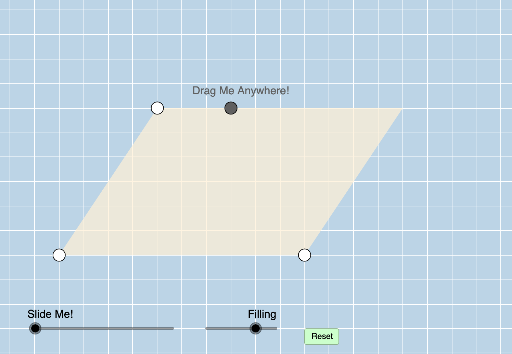
This example demonstrates an interactive approach to understanding the area calculation of a parallelogram. Core math concepts include parallelograms, area formulas, vectors, and similar triangles. It utilizes GeoGebra commands like Line, PointIn, Segment, OrthogonalLine, Intersect, and Polygon for construction. Suitable for middle school students and above to learn and visualize the derivation of the parallelogram area formula, as well as for educational purposes.
GeoGebra Commands & Parameters
Line(A, B) → f_1Line(A, B) → bSlope(b) → mPointIn(d) → CSegment(A, B) → aLine(C, a) → fOrthogonalLine(B, f) → nIntersect(f, n) → HSegment(C, H) → lPoint(l) → IOrthogonalLine(I, l) → qIntersect(q, a) → JCircle(B, Distance[A, J]) → g_1Intersect(g_1, f_1, 2) → MSegment(A, C) → ePoint(f) → DRay(C, D) → gLine(B, e) → hIntersect(h, g) → ESegment(C, E) → iSegment(B, E) → jPoint(i) → FOrthogonalLine(A, i) → kAngle(B, A, C) → αRay(C, E) → pIntersect(f, k) → GSegment(G, E) → rPoint(r) → KOrthogonalLine(K, r) → sIntersect(s, a) → LPolygon(A, J, I, C) → poly1, a_1, j_1, i_1, c_1Polygon(J, B, E, I) → poly2, j_2, b_1, e_1, i_2Polygon(A, L, K, C) → poly3, a_2, l_1, k_1, c_2Polygon(L, B, E, K) → poly4, l_2, b_2, e_2, k_2Dilate(I, If[0 < o ≤ 1, 1 - o, 0], J) → I'Segment(I, I') → tAngle(J, I, E) → βDilate(J, If[2 < o ≤ 3, 3 - o, 0], M) → J'Vector(J, J') → uAngle(B, J, I) → γOrthogonalLine(E, b) → d_1Translate(A, u) → A'Translate(J, u) → J'_1Translate(I, u) → I'_1Translate(C, u) → C'Polygon(A', J'_1, I'_1, C') → poly1', a', j'_1, i'_1, c'Angle(I'_1, J', J) → δPolygon(A, B, E, C) → poly5, a_3, b_3, e_3, c_3Circle(E, Distance[C, K]) → h_1Intersect(h_1, f, 2) → NPolygon(A, B, E, C) → poly6, a_4, b_4, e_4, c_4Dilate(K, If[0 < o ≤ 1, 1 - o, 0], L) → K'Segment(K, K') → m_1Angle(L, K, E) → εAngle(B, L, K) → ζDilate(K, If[2 < o ≤ 3, 3 - o, 0], N) → K'_1Vector(K, K'_1) → vTranslate(A, v) → A'_1Translate(L, v) → L'Translate(K, v) → K'_2Translate(C, v) → C'_1Polygon(A'_1, L', K'_2, C'_1) → poly3', a'_1, l', k'_2, c'_1Angle(K'_1, L', A) → ηSegment(J'_1, I'_1) → n_1Segment(L', K'_2) → p_1
AI Drawing Prompt Reference
Draw a parallelogram and mark the intersection point H of its diagonals. Then draw a line through H parallel to the sides of the parallelogram, intersecting at points I and J. Draw two triangles with I and J as vertices, and then translate one of these triangles along the diagonal to form a new parallelogram. Finally, calculate and mark the ratio of the areas of the two parallelograms.
The prompt above was compiled from the original drawing commands and is for reference only.