
Dynamic Relationship Among Triangle's Angle Bisector, Orthocenter, and Circumcen
Loading the math board and drawing, please wait…
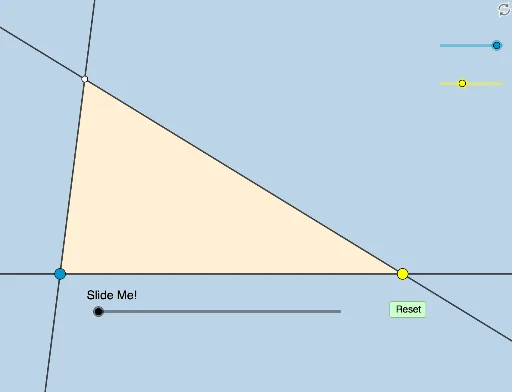
This example demonstrates the dynamic and modifiable relationship among a triangle's angle bisector, orthocenter, and circumcenter. It involves core mathematical concepts such as angle bisector, orthocenter, circumcenter, vectors, and coordinate geometry. The construction utilizes commands like Rotate, Angle, Segment, Ray, LineBisector, Intersect, OrthogonalLine, Min, Line, Circle, Polygon, Dilate, and CircleSector. It is suitable for high school students and teachers exploring geometric relationships.
GeoGebra Commands & Parameters
Rotate(A, (a * π / 180), B) → A'Angle(A, B, A') → αSegment(A, B) → fRay(B, A') → gLineBisector(f) → jRotate(A, α / 2, B) → A'_1Angle(A, B, A'_1) → βRay(B, A'_1) → nRotate(B, ((-b) * π / 180), A) → B'Angle(B, A, B') → εRay(A, B') → hIntersect(g, h) → C_1Segment(C_1, B) → iSegment(C_1, A) → kLineBisector(f) → lLineBisector(k) → mIntersect(m, l) → COrthogonalLine(C_1, f) → pOrthogonalLine(B, k) → qIntersect(p, q) → ORotate(C_1, (b / 2 * π / 180), A) → C'Angle(C_1, A, C') → γRay(A, C') → rRotate(A, α / 2, B) → A'_2Angle(A, B, A'_2) → δRotate(C_1, ((b * π / 180) * 0.5), A) → C'_1Angle(C_1, A, C'_1) → ζRay(B, A'_2) → sRay(A, C'_1) → tIntersect(s, t) → IAngle(O, C_1, I) → ηAngle(I, C_1, C) → θSegment(C_1, O) → cSegment(C_1, I) → dSegment(C_1, C) → eMin({c, d, e}) → oLine(C_1, I) → f_1Line(C_1, O) → g_1Line(C_1, C) → h_1OrthogonalLine(C_1, f) → i_1Circle(C_1, (0.4 * o)) → c_1Intersect(c_1, h_1) → E, FIntersect(c_1, i_1) → H, I_1Intersect(c_1, f_1) → G, JPolygon(B, A, C_1) → t1, c_2, b_1, a_1OrthogonalLine(I, f) → j_1Intersect(f, j_1) → KAngle(A, K, I) → ιIntersect(q, Line[A, C_1]) → LAngle(B, L, A) → κLine(C_1, A) → k_1Line(A, B) → l_1Line(B, C_1) → m_1Intersect(l_1, i_1) → MAngle(A, M, C_1) → λ_1Dilate(C_1, If[0 < u ≤ 1, 1 - u, 0], M) → C'_2Segment(C_1, C'_2) → n_1Dilate(B, If[1 < u ≤ 2, 2 - u, 0], L) → B'_1Segment(B, B'_1) → p_1Dilate(C, If[3.5 < u ≤ 4.5, 4.5 - u, 0], A) → CCTR'Segment(C, CCTR') → q_1Circle(C, CCTR') → d_1Dilate(I, If[5.5 < u ≤ 6.5, 6.5 - u, 0], K) → I'Segment(I, I') → r_1Circle(I, I') → e_1Dilate(C_1, If[10.5 < u ≤ 11.5, 11.5 - u, 0], O) → DDilate(C_1, If[10.5 < u ≤ 11.5, 11.5 - u, 0], I) → NDilate(C_1, If[10.5 < u ≤ 11.5, 11.5 - u, 0], C) → PSegment(C_1, D) → s_1Segment(C_1, N) → t_1Segment(C_1, P) → f_2Line(C_1, O) → g_2Line(C_1, I) → h_2Line(C_1, C) → i_2Rotate(I_1, If[12 < u ≤ 13, ((u - 12) * η), η], C_1) → QCircleSector(C_1, I_1, Q) → d_2Rotate(d_2, If[14 < u ≤ 15, ((u - 14) * η), η], C_1) → e_2Angle(B, C_1, A) → μAngle(F, C_1, J) → τRotate(F, If[12 < u ≤ 13, ((u - 12) * τ), τ], C_1) → F'CircleSector(C_1, F, F') → k_2Rotate(k_2, If[14 < u ≤ 15, ((u - 14) * τ), τ], C_1) → p_2Angle(F, C_1, J) → λRotate(F, If[12 < u ≤ 13, ((u - 12) * λ), λ], C_1) → F'_1CircleSector(C_1, F, F'_1) → q_2Rotate(q_2, If[14 < u ≤ 15, ((u - 14) * λ), λ], C_1) → r_2Angle(I_1, C_1, J) → χRotate(I_1, If[12 < u ≤ 13, ((u - 12) * χ), χ], C_1) → RCircleSector(C_1, I_1, R) → s_2Rotate(s_2, If[14 < u ≤ 15, ((u - 14) * χ), χ], C_1) → t_2
AI Drawing Prompt Reference
Draw a triangle and label its angle bisector, orthocenter, and circumcenter to illustrate the dynamic relationships among them. Start by constructing the triangle's sides and vertices, then find the angle bisectors of each angle. Use these bisectors to determine the orthocenter and circumcenter. Next, create auxiliary lines and circles related to these points through rotations and intersections, and finally combine all elements to form the complete geometric figure.
The prompt above was compiled from the original drawing commands and is for reference only.