
Dynamic Illustration of 30 Degrees Trig Values
Loading the math board and drawing, please wait…
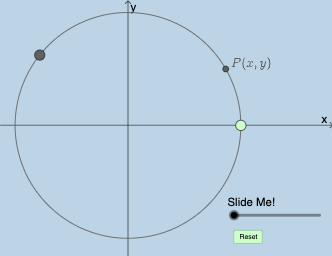
This example dynamically illustrates the trigonometric function values at 30 degrees, focusing on sine, cosine, and tangent. It involves core math concepts like trigonometric definitions, unit circle, and the relationship between angles and function values. Construction highlights include GeoGebra commands such as Center, Rotate, Intersect, Midpoint, Angle, Polygon, Dilate, Segment, CircleArc, Point, and Textfield. Suitable for high school mathematics education to understand basic properties and dynamic changes of trigonometric functions.
GeoGebra Commands & Parameters
Center(c) → ARotate(B, π / 6, A) → B'Intersect(f, i) → EMidpoint(A, E) → GMidpoint(A, B') → FAngle(B, A, B') → αRotate(B, π / 3, A) → B'_1Angle(B, A, B'_1) → βRotate(B, π / 4, A) → B'_2Angle(B, A, B'_2) → γIntersect(h, i) → CIntersect(g, i) → DPolygon(A, E, B') → poly1, b', a_1, ePolygon(A, D, B'_2) → poly2, b'_2, a_2, dPolygon(A, C, B'_1) → poly3, b'_1, a_3, c_1Dilate(A, If[0 < a ≤ 1, 1 - a, 0], G) → A'Segment(A, A') → jDilate(A, If[0 < a ≤ 1, 1 - a, 0], F) → A'_1Segment(A, A'_1) → kDilate(E, If[2 < a ≤ 3, 3 - a, 0], B') → B''Dilate(F, If[1 < a ≤ 2, 2 - a, 0], B') → F'Dilate(G, If[1 < a ≤ 2, 2 - a, 0], E) → G'Segment(F, F') → mSegment(G, G') → nAngle(B', E, A) → δSegment(E, B'') → lRotate(E, If[3.5 < a ≤ 4.5, ((-(a - 3.5)) * π / 3), ((-π)) / 3], B') → E'Rotate(B'', If[3.5 < a ≤ 4.5, ((-(a - 3.5)) * π / 3), ((-π)) / 3], B') → B'''Segment(E', B''') → l'Rotate(E', If[4.5 < a ≤ 5.5, ((-(a - 4.5)) * π), (-π)], F) → E''Rotate(B''', If[4.5 < a ≤ 5.5, ((-(a - 4.5)) * π), (-π)], F) → HSegment(E'', H) → l''CircleArc(A, B', B) → pCircleArc(A, B, B') → qPoint(p) → ISegment(A, I) → sTextfield(r) → InputBox1Dilate(A, If[0 < a ≤ 1, 1 - a, 0], I) → A'_2Segment(A, A'_2) → t
AI Drawing Prompt Reference
Create a dynamic illustration showing trigonometric values at 30 degrees, including the unit circle and sine, cosine, and tangent functions. Highlight the relationship between angles and function values, using rotations and dilations to demonstrate the properties of trigonometric functions. The image should feature angle markings, the unit circle, polygons, and line segments, with dynamic elements to clearly display the trigonometric values at 30 degrees.
The prompt above was compiled from the original drawing commands and is for reference only.