
Dynamic Geometry and Calculus Task: Circles, Rotation, and Derivatives
Loading the math board and drawing, please wait…
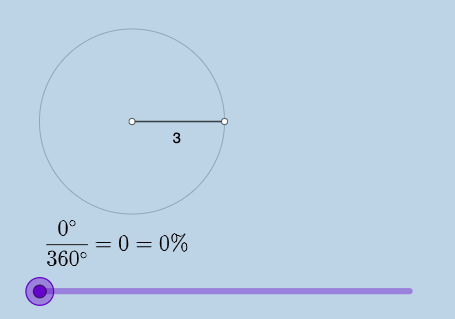
① This GeoGebra example presents a comprehensive mathematical task that combines dynamic geometry with interactive input fields, demonstrating the interplay among circles, rotation, angles, area, circumference, and derivatives. ② Core mathematical concepts include circles, arcs, sectors, rotational symmetry, angle measurement, area and circumference calculations, and differential calculus (derivatives), with additional references to binomial distribution and hypothesis testing for statistical context. ③ Construction highlights: commands such as Point, Ray, Circle, Segment, Rotate, Angle, CircleArc, CircleSector are used to build geometric elements; Area and Circumference compute measurements; FractionText displays fractions; Textfield and InputBox enable user interaction. Objects include A, h, B, c, f, a, B', α, d, cc, g, e, b, i, j, k, ccc, etc., allowing dynamic adjustments and real-time feedback. ④ Suitable for high school to early college students, this task helps explore the visual connection between geometric transformations and calculus concepts, and serves as a resource for math labs or teacher demonstrations.
GeoGebra Commands & Parameters
Point(yAxis) → ARay(A, (1, 0)) → hPoint(h) → BCircle(A, B) → cSegment(A, B) → fRotate(B, (a * pi / 180), A) → B'Angle(B, A, B') → αCircleArc(A, B, B') → dSegment(A, B') → gCircleSector(A, B, B') → eTextfield(a) → InputBox1Area(c) → lCircumference(c) → mTextfield(n) → InputBox2FractionText(a / 360) → text8
AI Drawing Prompt Reference
Draw a coordinate plane with a fixed point A. From A, show a ray as the reference direction, then place a point B on that ray. Construct a circle c centered at A with radius AB, and draw the segment from A to B. Rotate point B about A by a variable angle to obtain B′, then draw the segment from A to B′ and mark the angle α at A between the rays AB and AB′. Include the corresponding circular arc d connecting B and B′ and the sector e determined by A, B, and B′. Add an input field for the rotation angle, and display the area and circumference of the circle c as text that updates with changes.
The prompt above was compiled from the original drawing commands and is for reference only.