
Dudeney: Choosing a Site in a Right Estate
Loading the math board and drawing, please wait…
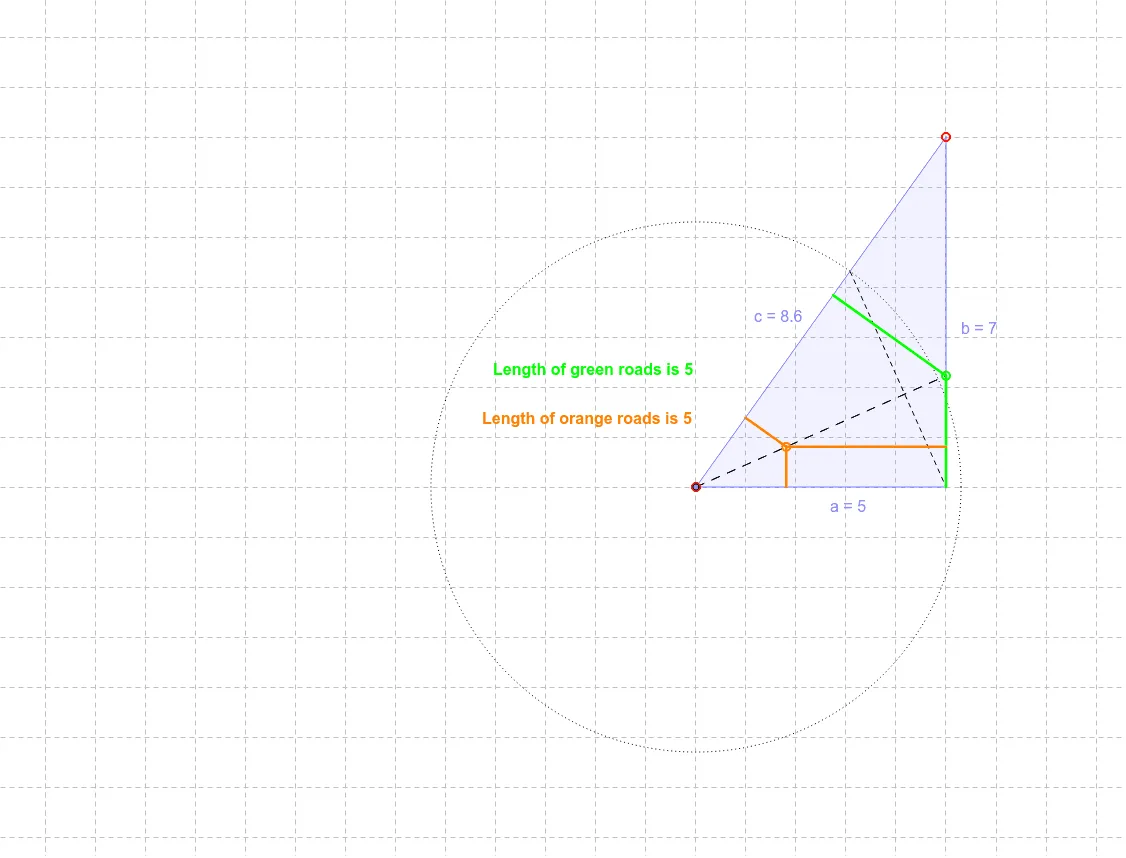
This example demonstrates geometric construction to determine the correct placement of a right triangle in a coordinate system. Key mathematical concepts include triangle properties, coordinate geometry, and similar triangles. The construction involves using GeoGebra commands like Point, Polygon, Line, and Circle to create geometric objects. Suitable for students learning geometric constructions and coordinate applications.
GeoGebra Commands & Parameters
Point(yAxis) → NPoint(xAxis) → OPolygon(N, O, P) → poly2, c, a, bLine(O, P) → c_1Line(P, N) → dLine(O, N) → ePoint(c_1) → BCircle(O, r) → s_3Intersect(s_3, c, 1) → HSegment(H, P) → sOrthogonalLine(B, s) → d_1Intersect(d_1, b) → IIntersect(d_1, c) → QIntersect(d_1, a) → RSegment(Q, I) → fSegment(R, I) → gPoint(g) → AOrthogonalLine(A, c_1) → hOrthogonalLine(A, e) → iOrthogonalLine(A, d) → jIntersect(c_1, h) → DIntersect(j, d) → EIntersect(i, e) → FSegment(A, D) → kSegment(F, A) → lSegment(A, E) → mPoint(f) → GOrthogonalLine(G, e) → e_1OrthogonalLine(G, c_1) → f_1OrthogonalLine(G, d) → g_1Intersect(g_1, d) → SIntersect(e_1, e) → TIntersect(f_1, c_1) → USegment(T, G) → h_1Segment(G, U) → i_1Segment(G, S) → j_1