
DSE2019Q19: Geometric Construction of Circles and Polygons
Loading the math board and drawing, please wait…
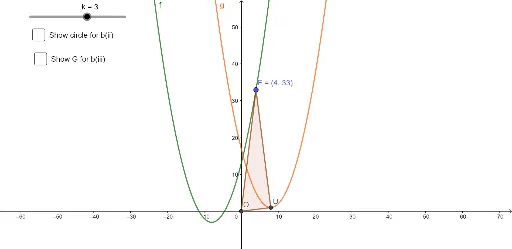
① This example demonstrates how to construct a geometric figure involving circles, polygons, and their intersections using GeoGebra, specifically to solve Question 19 from the 2019 Hong Kong Diploma of Secondary Education (DSE) Mathematics exam. ② The core mathematical concepts include the intersection of circles and polygons, properties of circumcircles, area calculation, and derivation of geometric quantities. ③ Construction highlights: Based on the construction summary, the commands used are Intersect (to find intersection points), Polygon (to construct polygons), and Circle (to draw circles); objects include k (circle), f and g (lines or functions), U, F, O (points), t1, u, f_1, a, c, G, b, d, which together form the required geometric relationships. ④ This is suitable for senior secondary students (especially those preparing for the DSE) to review comprehensive geometry problems, and also serves as a classroom demonstration tool for teachers to illustrate geometric construction and calculation steps.
GeoGebra Commands & Parameters
Intersect(xAxis, yAxis) → OPolygon(F, O, U) → t1, u, f_1, aCircle(F, U, O) → c
AI Drawing Prompt Reference
Draw a coordinate plane with two perpendicular axes intersecting at the origin. Choose two points on the axes, one on the horizontal and one on the vertical, so that together with the origin they form a right triangle. Construct the triangle using these three vertices, and then draw the circumcircle passing through all three vertices. The final figure shows the axes, the triangle, and its circumcircle, illustrating their geometric relationships.
The prompt above was compiled from the original drawing commands and is for reference only.