
Drawing Angles Game
Loading the math board and drawing, please wait…
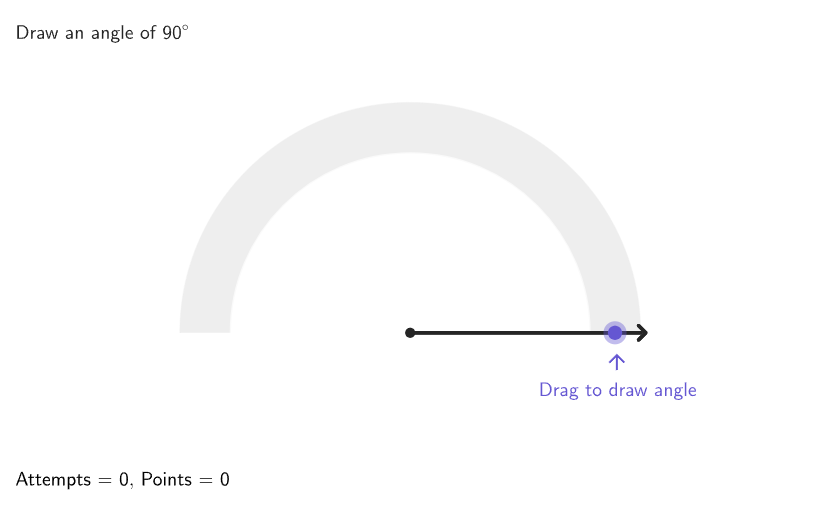
This interactive game challenges you to draw angles as accurately as possible, improving your angle sense. By drawing and measuring angles with a protractor, you'll understand that a circle measures 360 degrees. The construction utilizes GeoGebra commands like Shuffle, Angle, Circle, Segment, etc., making it suitable for 4-5 grade students learning geometric constructions.
GeoGebra Commands & Parameters
Shuffle(Sequence[180]) → randomAngles, {90, 46, 167, 24, 143, 82, 179, 20, 16, 89, 44, 23, 162, 57, 125, 129, 166, 153, 164, 60, 12, 1, 63, 158, 18, 135, 168, 104, 69, 29, 10, 170, 66, 79, 132, 137, 34, 120, 68, 156, 173, 9, 169, 26, 77, 87, 39, 109, 15, 154, 96, 175, 55, 131, 62, 75, 49, 133, 32, 114, 127, 58, 50, 174, 122, 27, 97, 99, 110, 70, 151, 140, 45, 118, 53, 76, 165, 61, 123, 47, 84, 112, 115, 83, 8, 28, 117, 33, 171, 152, 35, 142, 146, 126, 48, 22, 38, 73, 111, 72, 21, 102, 7, 93, 51, 25, 180, 85, 108, 4, 81, 74, 155, 37, 103, 147, 149, 71, 31, 40, 105, 177, 14, 54, 141, 107, 172, 136, 36, 88, 157, 17, 91, 163, 101, 86, 6, 67, 148, 5, 11, 128, 52, 116, 161, 160, 56, 124, 121, 139, 100, 145, 159, 134, 113, 119, 138, 65, 94, 2, 106, 64, 59, 95, 144, 92, 78, 130, 150, 41, 176, 19, 80, 43, 13, 3, 30, 42, 178, 98}Semicircle((-4, 0), (4, 0)) → cPoint(c) → MovablePointAngle(AngEndpoint, CentAng, MovablePoint) → αElement(randomAngles, Mod[questionCount, Length[randomAngles]] + 1) → randomAngleCorner(5) → AppSizeCircle(CentAng, 3.5) → dCircle(CentAng, 4.5) → eSegment(CentAng, AnimP) → animSegAngle(AngEndpoint, CentAng, AnimP) → βSector(e, Max[angRad - Rad5, 0], Min[angRad + Rad5, pi]) → fTranslate((0, 0), Vector[If[β ≤ 30°, Vector[(0.5 * (cos((2 * angRad)), sin((2 * angRad))))], Vector[(1.1 * (cos(angRad / 3), sin(angRad / 3)))]]]) → PosLabelCorrectAText((("\textsf{" * β) * "}"), PosLabelCorrectA, true, true, 0, 1) → labelCorrectAngTranslate((0, 0), Vector[If[α ≤ 30°, Vector[(2 * (cos((2 * α)), sin((2 * α))))], Vector[(1.5 * (cos(α / 2), sin(α / 2)))]]]) → PosLabelAlfaText((("\textsf{" * α) * "}"), PosLabelAlfa, true, true, 1, 1) → labelStudAngDilate(MovablePoint, 1.3) → AnimP'If(perfect, 5, If[moreCorrect, 3, If[correct, 1, 0]]) → PointsToAddSector(e, angRad + (3 * Rad5), pi) → pVector(AnimP', Target) → vecSector(e, Max[angRad - (3 * Rad5), 0], Min[angRad - Rad5, pi]) → gSector(e, Max[angRad + Rad5, 0], Min[angRad + (3 * Rad5), pi]) → hSector(e, 0, angRad - (3 * Rad5)) → kText(((("\textsf{+" * PointsToAdd) * If[perfect, " Perfect!", ""]) * "}"), AnimP' + (vec * wait^(2)), true, true, 0, 0) → textPlus1Last(histCorrect, Min[Length[histCorrect], 3]) → histCorrectLast3If(Length[histCorrect] ≟ 0, {}, Last[histCorrect, Min[5, Length[histCorrect]]]) → histCorrectLast5Sequence(Rotate[(4, 0), ii], ii, 0, 180°, If[hint2, 45°, 90°]) → pointsHint1Sequence(Rotate[(4.3, 0), ii], ii, 0, 180°, If[hint2, 45°, 90°]) → pointsHint2Zip(Dilate[AA, 1.15], AA, pointsHint1) → PointsHintLabelsSequence(Text[ii], ii, 0, 180, If[hint2, 45, 90]) → hintLabelsZip(Segment[AA, BB], AA, pointsHint1, BB, pointsHint2) → hintSegmentsZip(Text[(tt * "°"), AA, true, true, 0, 1], AA, PointsHintLabels, tt, hintLabels) → hintlabelsPositionedCountIf(x ≟ false, histCorrectLast3) → falseIn3CountIf(x ≟ false, histCorrectLast5) → falseIn5Semicircle((-4.5, 0), (4.5, 0)) → graySemicircleSegment(CentAng, Dilate[AngEndpoint, 1.15]) → FixedSegmentSegment(CentAng, Dilate[MovablePoint, 1.15]) → MovableSegmentonboardingTextOffset(Corner[onboardingText_{1}, 1], Corner[onboardingText_{1}, 3], onboardingCase_{1}, Corner[1], Corner[3], Corner[5]) → OnboardingTextOffset_{1}circlePixels(MovablePoint, 7 + (7 * pulsing), Corner[1], Corner[3], Corner[5]) → pulsingObject
AI Drawing Prompt Reference
This is a geometry construction game interface. The center features a semicircle from (-4,0) to (4,0) with its center marked as a movable point. Two concentric circles are drawn with radii 3.5 and 4.5 around the center. Two angles, alpha and beta, are displayed with text labels. Multiple sector shapes are included to represent different angle options. There are also hint labels, statistics, and decorative elements, forming an interactive angle measurement exercise interface.
The prompt above was compiled from the original drawing commands and is for reference only.