
Draw the Cosine Curve (0 - 360 degrees)
Loading the math board and drawing, please wait…
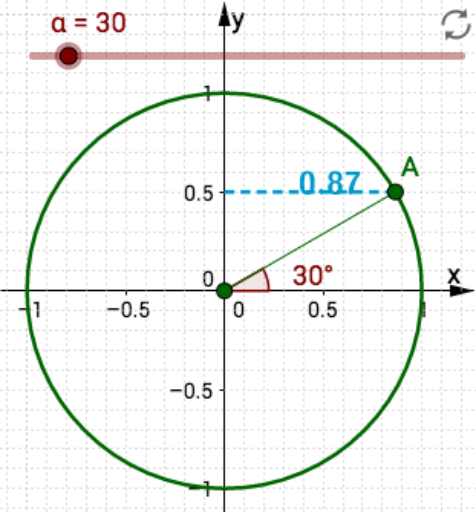
This example demonstrates how to graph the cosine function within the range of 0 to 360 degrees. It involves core mathematical concepts such as trigonometric functions, coordinate systems, and function graphs. Key GeoGebra commands and objects used in the construction include Intersect, Rotate, Angle, Ray, and Segment, making it suitable for high school students learning about trigonometric functions and function graphs.
GeoGebra Commands & Parameters
Intersect(xAxis, yAxis) → ORotate(F, α°, O) → C'Angle(F, O, C') → βRay(O, C') → fIntersect(c, f, 1) → ASegment(O, A) → gSegment(D, A) → h
AI Drawing Prompt Reference
Draw the cosine curve from 0 to 360 degrees. First, create a coordinate system, then plot point F on the unit circle, rotate F to get point C', calculate angle β, draw ray f, and find its intersection with the unit circle at point A. Finally, draw line segments OA and DA.
The prompt above was compiled from the original drawing commands and is for reference only.