
Double Number Line Tool - Fractions
Loading the math board and drawing, please wait…
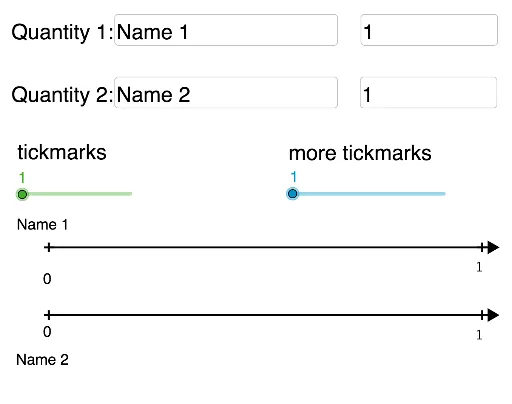
This example demonstrates how to use the Double Number Line Tool to represent and compare fractions. The core math concepts involved include fractions, ratios, and number lines. Construction highlights involve using GeoGebra commands and objects such as Point, Segment, Textfield, Text, GCD, and Sequence. Suitable for middle school mathematics teaching, helping students understand the relative size and operations of fractions.
GeoGebra Commands & Parameters
Point(a) → DSegment(A, D) → cSegment(B, C) → dTextfield(text4) → InputBox2Textfield(text5) → InputBox3Text("20%", (scale - 0.25, y(A) + yOffSet)) → text6Text(8, (scale - 0.12, y(B) + yOffSet)) → text7Textfield(Q1Jump) → InputBox4Textfield(Q2Jump) → InputBox5GCD(Q1Jump, Q2Jump) → gSegment(A, I) → iSegment(B, J) → kSequence(((e * v), h), v, 0, f) → Q1marksSequence(((e * k), 0), k, 0, f) → Q2marksSequence(((e / 2 * l), h), l, 0, (f * 2)) → Q1split2Sequence(((e / 2 * k), 0), k, 0, (f * 2)) → Q2split2Text(0, (x(B) - 0.12, y(B) + (3.2 * yOffSet))) → text3Sequence(((e / s * l), h), l, 0, (f * s)) → Q1splitSequence(((e / s * k), 0), k, 0, (f * s)) → Q2splitSequence(Text[FractionText[(q * Q1Jump / s)], ((e / s * q) + topxOffSet, y(B) + yOffSet), true, true], q, 1, (f * s)) → TextQ1Sequence(Text[FractionText[(q * Q1Jump / s)], ((e / s * q) + topxOffSet, y(B) + yOffSet), true, true], q, 1, (f * s)) → TextQ1splitSequence(Text[FractionText[(q * Q1Jump / 2)], ((e / 2 * q) + topxOffSet, y(B) + yOffSet), true, true], q, 1, (f * 2)) → TextQ1split2Sequence(Text[FractionText[(p * Q2Jump / s)], ((e / s * p) + xOffSet, y(A) + yOffSet), true, true], p, 1, (f * s)) → TextQ2splitSequence(Text[FractionText[(p * Q2Jump)], ((e * p) + xOffSet, y(A) + yOffSet), true, true], p, 1, f) → TextQ2Sequence(Text[FractionText[(p * Q2Jump / 2)], ((e / 2 * p) + (1.1 * xOffSet), y(A) + yOffSet)], p, 1, (f * 2)) → TextQ2split2Text(0, (x(A) - 0.12, y(A) - 0.7)) → text2