
Double Integral Volume Demo by wuguoning
Loading the math board and drawing, please wait…
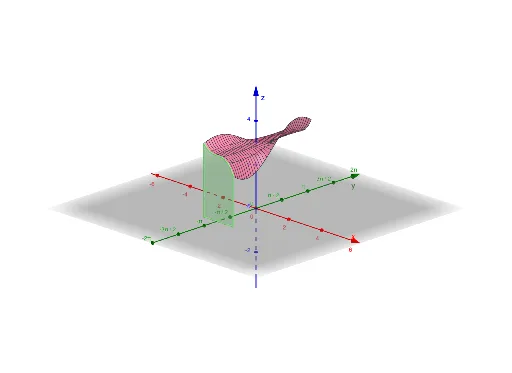
This example demonstrates how to calculate the volume of a solid in space using double integrals. Key math concepts include integration, volume calculation, and spatial geometry. Construction highlights involve commands like Polygon, Textfield, Surface, Segment from GeoGebra. Suitable for high school and above students learning calculus applications in solid geometry.
GeoGebra Commands & Parameters
Polygon(D, B, L, M, C, A, E, F, G, H, I, J, K) → poly1, d, k, l, m, c_1, b, a_1, e, f_1, g, h, i, jTextfield(o) → InputBox1Textfield(t) → InputBox2Textfield(u) → InputBox3Textfield(v) → InputBox4Textfield(w) → InputBox5Surface(a, b, o(a, b), a, t, u, b, v, w) → aSegment((u, q, 0), (u, q, o(u, q))) → nSegment((t, q, 0), (t, q, o(t, q))) → rSegment((t, q), (u, q)) → s
AI Drawing Prompt Reference
Draw a 3D solid shape to demonstrate volume calculation using double integrals, featuring a polygonal base and a surface extending from it, marked with several points and helper lines to illustrate the integration process, highlighting the integration of spatial geometry and calculus concepts.
The prompt above was compiled from the original drawing commands and is for reference only.