
Dot Product Demonstration
Loading the math board and drawing, please wait…
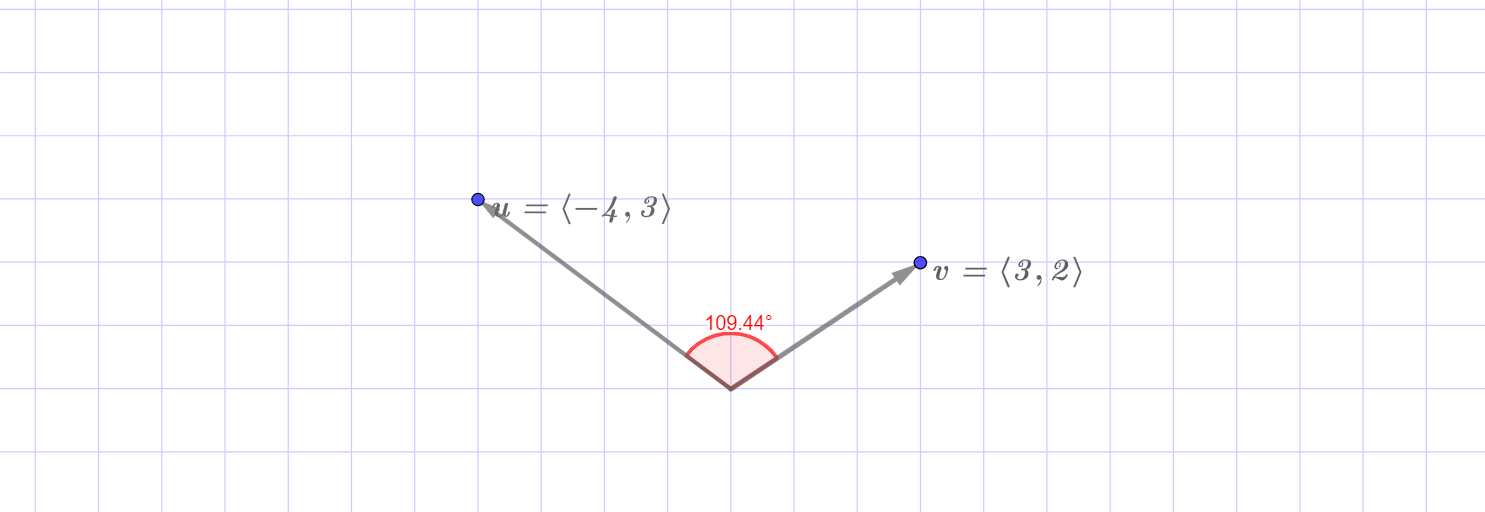
This example visually demonstrates the calculation and geometric meaning of the dot product of vectors. It involves core math concepts like vectors, dot product formula, vector length, and cosine of the angle. GeoGebra commands and objects used include Intersect, Vector, Angle, Length, with objects like A, B, C, u, v. Suitable for high school and university students learning vector operations and physical applications.
GeoGebra Commands & Parameters
Intersect(xAxis, yAxis) → CVector(C, A) → uVector(C, B) → vVector(C, (1, 0)) → iVector(C, (0, 1)) → jAngle(i, u) → αAngle(u, v) → βAngle(u, v) → γAngle(u, v) → δAngle(v, u) → εAngle(v, u) → ζLength(u) → bLength(v) → c
AI Drawing Prompt Reference
Create a geometric demonstration of the dot product. Start at the origin, draw two vectors from the origin to two distinct points, and label these vectors. Also draw unit vectors along the x-axis and y-axis for reference. Show the angle from the x-axis unit vector to the first vector, and the angle between the two vectors (represented by multiple identical arcs). Label the lengths of both vectors. The overall figure illustrates the relationship between vectors, angles, and lengths, demonstrating the geometric meaning of the dot product.
The prompt above was compiled from the original drawing commands and is for reference only.