
Divisors of a Number
Loading the math board and drawing, please wait…
In collections
Elementary School
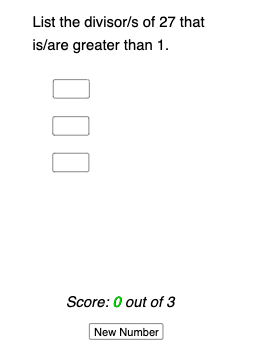
This example demonstrates dynamically displaying all divisors of a number as a scatter plot. Core math concepts include divisor decomposition, sequences, and coordinate geometry. Construction highlights use of commands like Random, Sequence, KeepIf, Textfield, Unique, Length, Sum along with objects such as buttons and input boxes to generate random numbers, build divisor sequences, filter unique divisors, and calculate lengths. Suitable for middle school and above to understand divisor distribution and programming logic.
GeoGebra Commands & Parameters
Random(12, 100) → nSequence(n / i, i, 2, n) → dv, {13.5, 9, 6.75, 5.4, 4.5, 3.857142857142857, 3.375, 3, 2.7, 2.4545454545454546, 2.25, 2.076923076923077, 1.9285714285714286, 1.8, 1.6875, 1.588235294117647, 1.5, 1.4210526315789473, 1.35, 1.2857142857142858, 1.2272727272727273, 1.173913043478261, 1.125, 1.08, 1.0384615384615385, 1}KeepIf(IsInteger[dv(k - 1)], k, Sequence[1, n]) → l1Textfield(factor1) → FactorTextfield(factor2) → InputBox1Textfield(factor3) → InputBox2Textfield(factor4) → InputBox3Textfield(factor5) → InputBox4Textfield(factor6) → InputBox5Textfield(factor7) → InputBox6Textfield(factor8) → InputBox7Textfield(factor9) → InputBox8Textfield(factor10) → InputBox9Textfield(factor11) → InputBox10Textfield(factor12) → InputBox11Unique(l2) → l3Length(l1) → lengthofl1Sequence(If[Element[l3, p] ∈ l1, 1, 0], p, 1, lengthofl1) → indans, {0, 0, 0}Sum(indans) → correctansRandom(12, 100) → n_{1}
AI Drawing Prompt Reference
Create an interactive scatter plot of the divisors of a randomly chosen integer n. Place a horizontal ordering for candidates k from 1 to n, compute the value n/k, and keep only those k for which n/k is an integer; collect the resulting divisor values as a set and display them as points on a coordinate plane. Include text fields/input boxes for displaying divisor-related factor values and a control element (e.g., a button) that lets the user confirm or compute a related correctness check using the divisor set size. Emphasize the dynamic scatter distribution of all positive divisors.
The prompt above was compiled from the original drawing commands and is for reference only.