
Division Problems
Loading the math board and drawing, please wait…
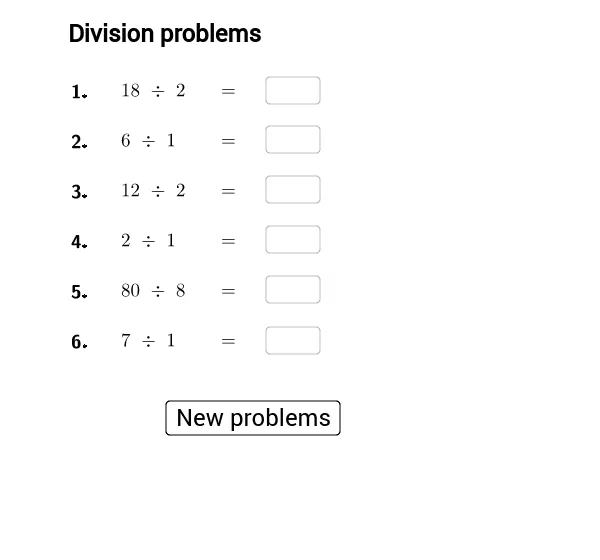
This example demonstrates how to construct random division problems and display answers using GeoGebra. Core math concepts include division operations, natural numbers, linear functions, and angles. Construction highlights involve commands like Random and Textfield, along with objects such as Div_1 to Div_5 for division problems, Ans_1 to Ans_5 for answers, and Prod_1 to Prod_5 for products. Suitable for middle school mathematics teaching, focusing on division practice and random number generation.
GeoGebra Commands & Parameters
Random(1, 10) → Div_1Random(1, 10) → Ans_1Random(1, 10) → Div_2Random(1, 10) → Ans_2Random(1, 10) → Div_3Random(1, 10) → Ans_3Random(1, 10) → Div_4Random(1, 10) → Ans_4Random(1, 10) → Div_5Random(1, 10) → Ans_5Textfield(SAns_1) → InputBox1Textfield() → InputBox2_1Textfield(SAns_2) → InputBox2Textfield(SAns_3) → InputBox3Textfield(SAns_4) → InputBox4_1Textfield(SAns_5) → InputBox5Textfield(SAns_4) → InputBox4Random(1, 10) → Div_6Random(1, 10) → Ans_6Textfield(SAns_6) → InputBox6
AI Drawing Prompt Reference
Create a math worksheet for division practice with five randomly generated division problems, each using natural numbers from 1 to 10. Display each problem as a dividend over a divisor, with a blank input box next to or below each for the answer. Arrange all problems and input boxes neatly in a grid-like layout, keeping the design clean and suitable for classroom use, emphasizing the numbers and answer fields.
The prompt above was compiled from the original drawing commands and is for reference only.