
Divisible Polynomials: Visualizing Remainder & Factor Theorems
Loading the math board and drawing, please wait…
In collections
Arithmetic and Algebra
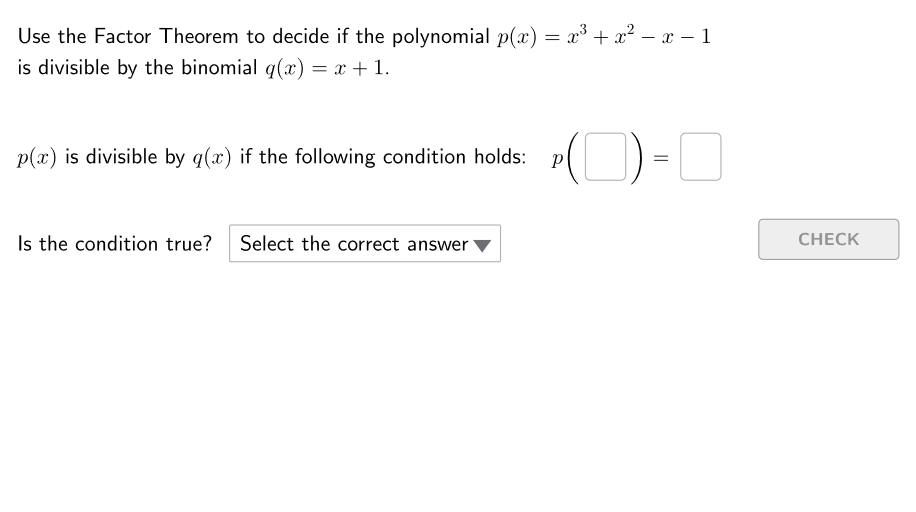
This interactive GeoGebra example demonstrates how to test whether one polynomial is divisible by another by computing the remainder and checking when it becomes zero. It builds an intuitive connection between the polynomial division algorithm (quotient and remainder) and the remainder/factor theorems: if the remainder vanishes for a chosen divisor/factor, the corresponding factor property holds. Key concepts include polynomial functions, divisibility, remainder calculation, and the logical equivalence used in factor theorem reasoning. The construction relies on GeoGebra commands and objects highlighted in the summary: Shuffle and Element to sample or randomize cases, Polynomial and Coefficients to create and manage polynomials (e.g., p, p2/p3/p4 and factor-related candidates), Textfield and InputBox1/InputBox2 to collect user-provided coefficients and RHS values, SelectedIndex combined with If to perform conditional validation (isDivisible, validate/showsolution, correctValue/correctRHS), and UI elements like ddMenu, btnValidate, and feedback labels (textFeedback1/textFeedback2) to guide learning. Suitable for secondary to early university algebra, especially for interactive practice, self-checking exercises, and concept verification.
GeoGebra Commands & Parameters
Shuffle({1, 2, 3}) → allCaseNum, {2, 3, 1}Shuffle({-3, -2, -1, 1, 2}) → allFact1, {2, -3, -2, -1, 1}Shuffle({-5, -4, -3, -2, -1, 1, 2, 3, 4, 5}) → allFact2, {1, -5, 2, 4, 3, 5, -3, -4, -1, -2}Shuffle({-3, -1, 1, 2, 3}) → allFact3, {3, -1, 2, 1, -3}Shuffle({-4, -3, -2, -1, 1, 2, 3, 4, 5}) → allFact4, {5, -3, -1, -2, -4, 4, 3, 1, 2}Element(allFact1, Mod[counter, Length[allFact1]] + 1) → fact1Element(allFact2, Mod[counter, Length[allFact2]] + 1) → fact2Element(allFact3, Mod[counter, Length[allFact3]] + 1) → fact3Polynomial(((x - fact1) * (x - fact3))) → p2Polynomial((((x - fact1) * (x - fact2)) * (x - fact3))) → p3Element(allFact4, Mod[counter, Length[allFact4]] + 1) → fact4Polynomial(((((x - fact1) * (x - fact2)) * (x - fact3)) * (x - fact4))) → p4Element(allCaseNum, Mod[counter, Length[allCaseNum]] + 1) → caseNumTextfield(studFact) → InputBox1Textfield(studRHS) → InputBox2Element(allPolyP, caseNum) → pCoefficients(p) → givenCoeffSelectedIndex(ddMenu) → isIf(correct1, "✓ ", "✘ ") → textFeedback1If(correct2, "✓ ", "✘ ") → textFeedback2
AI Drawing Prompt Reference
Show an interactive graphic to demonstrate polynomial divisibility testing. The graphic includes a polynomial function p, input boxes for user-provided coefficients and right-hand side values, and a selection for choosing factors. It visually shows the polynomial division algorithm with quotient and remainder, and illustrates that when the remainder is zero, the corresponding factor property holds. Users verify divisibility by selecting factors and entering coefficients, with the graphic displaying validation results and feedback. The construction order is: first create polynomial function p, then generate input boxes for user interaction, next display the division algorithm and remainder calculation, and finally show validation feedback based on user selection and input.
The prompt above was compiled from the original drawing commands and is for reference only.