
Distance Between Points and Lines or Planes
Loading the math board and drawing, please wait…
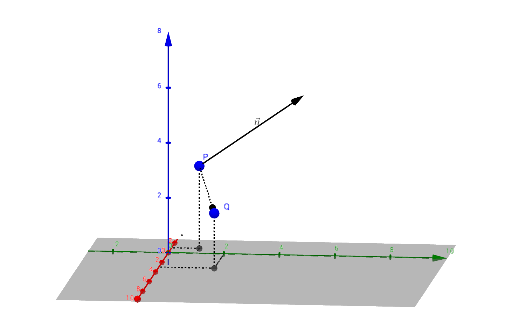
This example demonstrates how to calculate the distance between a point and a line or a plane. It involves core mathematical concepts such as vectors, projection, coordinate geometry, and the cosine theorem. Key GeoGebra commands and objects used include Textfield, Translate, Vector, Distance, OrthogonalLine, Intersect, Midpoint, Line, Segment, Angle, ProjectPoint, XandYline. Suitable for high school and above students to learn spatial geometry and coordinate geometry problems.
GeoGebra Commands & Parameters
Textfield(P) → InputBox1Textfield(n) → InputBox2Translate(P, n) → P'Vector(P, P') → uTextfield(Q) → InputBox3Vector(P, Q) → vDistance(Q, plane) → D_{plane}OrthogonalLine(Q, plane) → fIntersect(f, plane) → DVector(D, Q) → wMidpoint(D, Q) → ELine((x(P), y(P), z(P)), Vector[(x(n), y(n), z(n))]) → lineOrthogonalLine(Q, line, space) → gIntersect(line, g) → MSegment(M, Q) → hMidpoint(h) → NAngle(P', P, Q) → αProjectPoint(Q) → A, lProjectPoint(P) → B, mXandYline(B) → p, qXandYline(A) → r, sSegment(F, G) → t