
Directrix and Focus of a Parabola
Loading the math board and drawing, please wait…
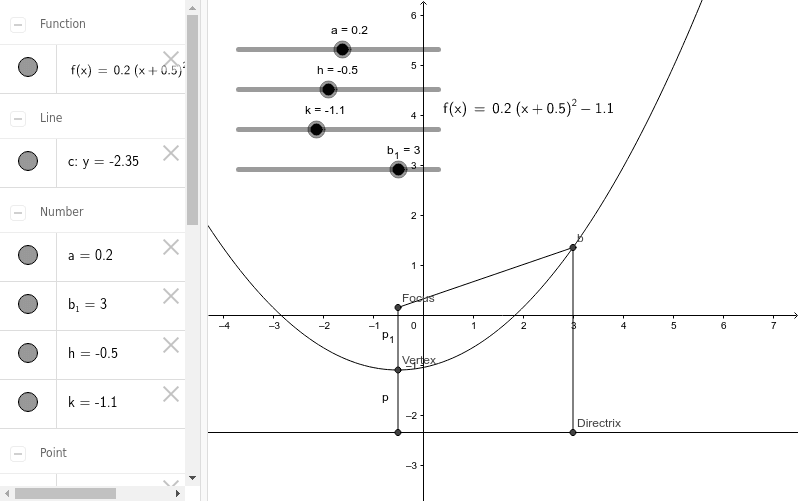
This example demonstrates the geometric construction of a parabola, focusing on the concepts of focus and directrix. The construction involves using GeoGebra commands such as Segment, LaTeX, Focus, and Directrix to create the parabola. It is suitable for students learning geometry and coordinate geometry, providing a practical tool for mathematical visualization.
GeoGebra Commands & Parameters
Segment(Focus, b) → dSegment(b, Directrix) → eLaTeX(f, true, true) → text1Segment(Focus, Vertex) → p_1Segment(Vertex, A) → p
AI Drawing Prompt Reference
Draw a parabola with its focus and directrix clearly marked. Start by sketching the axis of symmetry, placing the focus and vertex on it, then draw the directrix as a line perpendicular to the axis. Connect the focus to a point on the directrix, and also connect that point to the vertex, forming two line segments. Mark a point on the parabola and show dashed lines representing distances to the focus and directrix. Label the focus, directrix, and vertex, and include the standard equation of the parabola as text.
The prompt above was compiled from the original drawing commands and is for reference only.