
Dilation Tool Example
Loading the math board and drawing, please wait…
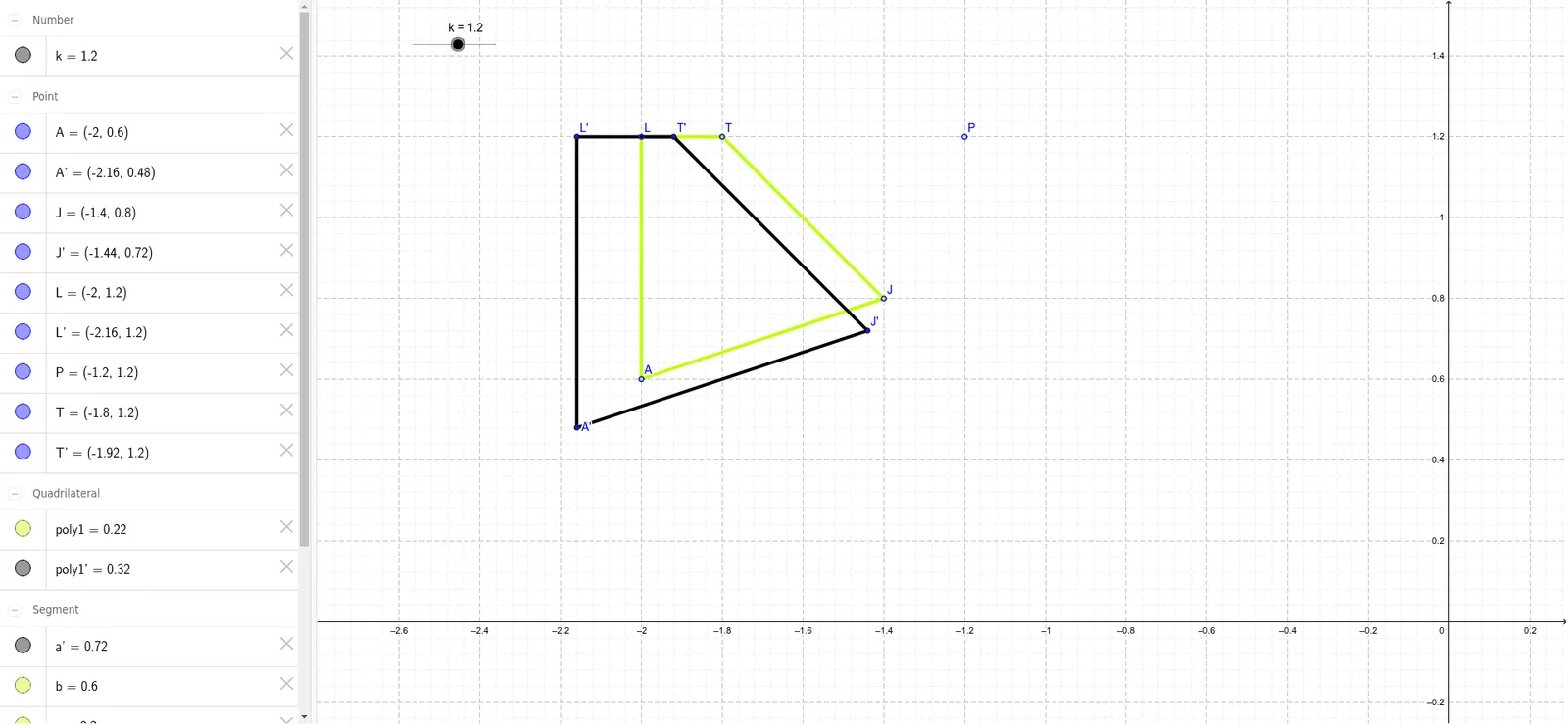
This example demonstrates the use of the dilation tool in GeoGebra for scaling geometric figures. Core mathematical concepts include dilation, scale factor, and geometric construction. Key GeoGebra commands used are Polygon and Dilate, where the scale factor k and center point P are adjusted to scale the polygon. Suitable for high school students learning geometric transformations and solid geometry.
GeoGebra Commands & Parameters
Polygon(A, L, T, J) → poly1, b, c, d, eDilate(A, k, P) → A'Dilate(L, k, P) → L'Dilate(T, k, P) → T'Dilate(J, k, P) → J'Polygon(A', L', T', J') → poly1', a', l', t', j'
AI Drawing Prompt Reference
Draw a polygon, then select a center point and a scale factor to dilate all vertices of the polygon around the center point, obtaining new vertices, and finally draw a new polygon using these new vertices to demonstrate the effect of dilation transformation.
The prompt above was compiled from the original drawing commands and is for reference only.