
Dilation 12: Good Luck
Loading the math board and drawing, please wait…
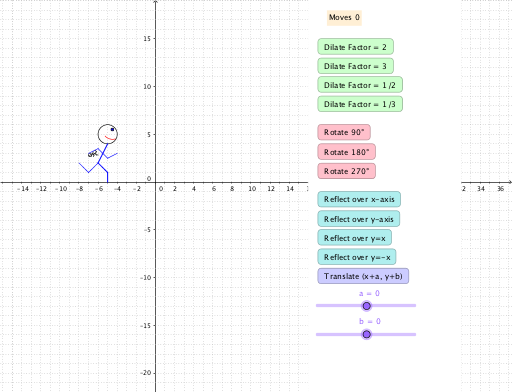
This example demonstrates the dilation effect in similarity transformations. Key mathematical concepts include similarity transformations, tangent functions, and intersections. Using GeoGebra commands such as Vector, Segment, CircleArc, Circle, and Textfield, a pyramid model in solid geometry is constructed. Suitable for high school mathematics education and learning about similarity transformations.
GeoGebra Commands & Parameters
Vector(V_1, V_2) → uSegment(A, B) → cSegment(B, C) → dSegment(C, D) → eCircleArc(I, H, G) → gCircleArc(I, G, H) → hCircleArc(I_1, H_1, G_1) → g_1CircleArc(I_1, G_1, H_1) → h_1Segment(J, B) → lSegment(L, J) → nSegment(N, O) → pSegment(K, O) → qSegment(M, N) → rCircle(E, abs(o)) → fCircle(E_1, sqrt(o_1^(2))) → f_1Segment(J_1, B_1) → l_1Segment(L_1, J_1) → n_1Segment(N_1, O_1) → p_1Segment(K_1, O_1) → q_1Segment(M_1, N_1) → r_1Segment(A_1, B_1) → c_1Segment(B_1, C_1) → d_1Segment(C_1, D_1) → e_1Vector(V_1, V_3) → u_1Textfield(line_1) → inputBox4Textfield(P_1) → inputBox5Textfield(α_1) → inputBox6Textfield(j_1) → inputBox9Textfield(R_1) → inputBox10Polygon(Q, S, T, U) → poly1, q_2, s_2, t_1, u_2
AI Drawing Prompt Reference
Draw a solid geometry pyramid model to demonstrate the dilation effect in similarity transformations. Include multiple vectors, segments, and circular arcs to form the edges and outlines of the pyramid. Start by constructing the basic framework of the pyramid, then add circular arcs and circles, and finally fill in parts of the structure with polygons, labeling key points and parameters to illustrate the mathematical concepts of similarity transformations.
The prompt above was compiled from the original drawing commands and is for reference only.