
Dilated Polygons
Loading the math board and drawing, please wait…
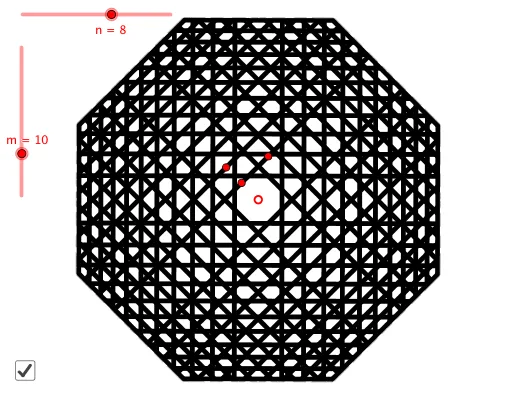
This example demonstrates the dilation of polygons. Key mathematical concepts include dilation, polygons, and vectors. Using GeoGebra commands such as Line, Point, Vector, Sequence, Translate, Intersect, and Polygon, the dilation of polygons can be constructed. Suitable for students at the junior high school level and above for learning geometric transformations.
GeoGebra Commands & Parameters
Line(A, B) → fPoint(Ray[A, A - OrthogonalVector[f]]) → DPoint(Ray[A, A + OrthogonalVector[f]]) → CVector(A, C) → uSequence(Translate[f, Vector[(u * (1 - r^(i)) / (1 - r))]], i, 0, m) → L_1Sequence(Rotate[L_1, ((i * 360) * ° / n), D], i, 0, n - 1) → L_2Translate(f, Vector[(1.02 * (u * (1 - r^(m)) / (1 - r)))]) → f'Intersect(f', Rotate[f', (360 * ° / n), D]) → EPolygon(Sequence[Rotate[E, ((i * 360) * ° / n), D], i, 1, n]) → q1
AI Drawing Prompt Reference
Draw a polygon and demonstrate its transformation through vector scaling and rotation. Start by drawing a line segment, then extend two perpendicular rays from one endpoint to form two intersection points. Create a vector based on the line segment and use it to generate a series of translated line segments. Rotate these segments around a point to create a repeated pattern. Finally, translate the original line segment outward, find the intersections between the rotated pattern and the translated line, and connect these points to form a new polygon, showcasing the transformation effect.
The prompt above was compiled from the original drawing commands and is for reference only.