
Diagonals of a Polygon Calculator
Loading the math board and drawing, please wait…
In collections
Mathematics Form 1
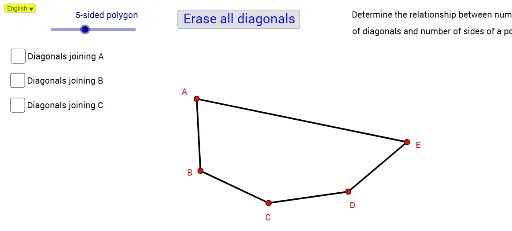
This example demonstrates how to calculate the number of diagonals in any polygon. It involves core math concepts like combinatorics and polygon properties. GeoGebra commands used include Take, Segment, Zip, SelectedIndex, If, with objects like PList for vertices and Segment for lines. Suitable for high school geometry instruction to understand polygon structure and combinatorial calculations.
GeoGebra Commands & Parameters
Take(PList, 1, NSide) → PPointSegment(A, B) → aSegment(B, C) → bSegment(C, D) → cSegment(H, A) → gSegment(Element[PPoint, 1], Element[PPoint, NSide]) → SegCloseSegment(D, E) → dSegment(E, F) → eSegment(F, G) → fSegment(H, G) → hZip(Segment[A, p], p, Take[PList, 3, NSide - 1]) → DgAZip(Segment[B, p], p, Take[PList, 4, NSide]) → DgBZip(Segment[C, p], p, Take[PList, 5, NSide]) → DgCZip(Segment[D, p], p, Take[PList, 6, NSide]) → DgDZip(Segment[E, p], p, Take[PList, 7, NSide]) → DgEZip(Segment[F, p], p, Take[PList, 8, NSide]) → DgFSelectedIndex(Bahasa) → nnIf(nn ≟ 1, "of diagonals and number of sides of a polygon.", "pepenjuru dengan bilangan sisi poligon") → Tex2If(nn ≟ 1, "Determine the relationship between number", "Menentukan hubungan antara bilangan") → Tex1
AI Drawing Prompt Reference
Draw a polygon and display all its diagonals. Start by sketching the basic sides of the polygon, then connect each vertex to non-adjacent vertices to form the diagonals. Use distinct colors or styles to differentiate between the sides and diagonals, clearly showing the structure of the polygon and the relationship between the number of diagonals and sides.
The prompt above was compiled from the original drawing commands and is for reference only.