
DG Study Task 6
Loading the math board and drawing, please wait…
In collections
Dynamic Geometry Study Tasks
This example demonstrates the construction of geometric figures involving angles, derivatives, and integrals using GeoGebra. Commands such as Polygon, Segment, Intersect, Angle, Circle, and Distance are used to create complex geometric figures. Suitable for high school mathematics education and learning calculus concepts.
GeoGebra Commands & Parameters
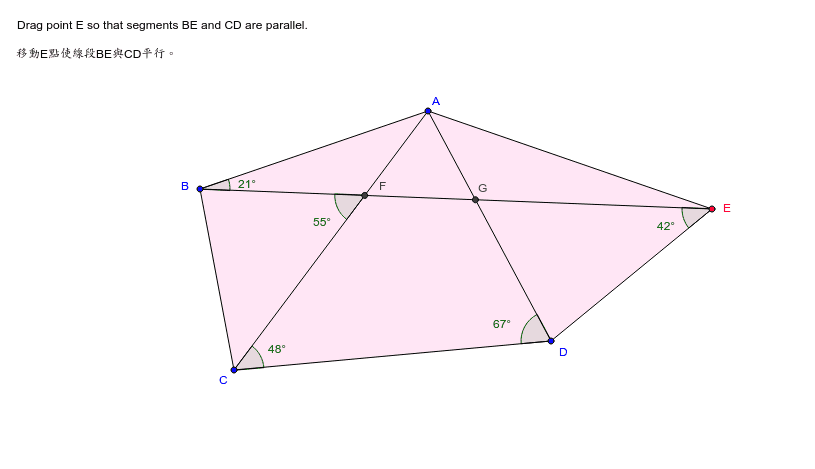
Polygon(A, B, C, D, E) → P, a, b, c, d, eSegment(B, E) → fSegment(A, C) → gSegment(A, D) → hIntersect(f, g) → FIntersect(f, h) → GAngle(D, C, A) → βAngle(A, D, C) → δAngle(B, F, C) → αCircle(C, D, G) → kAngle(B, E, D) → γAngle(E, B, A) → εDistance(B, E) → var6
AI Drawing Prompt Reference
Draw a pentagon ABCDE, and connect BE and AC, which intersect at points F and G. Measure the angles DCA, ADC, and BCF. Draw a circle with C, D, and G as points on the circumference. Measure the angles DEB, BEA, and the length of BE.
The prompt above was compiled from the original drawing commands and is for reference only.