
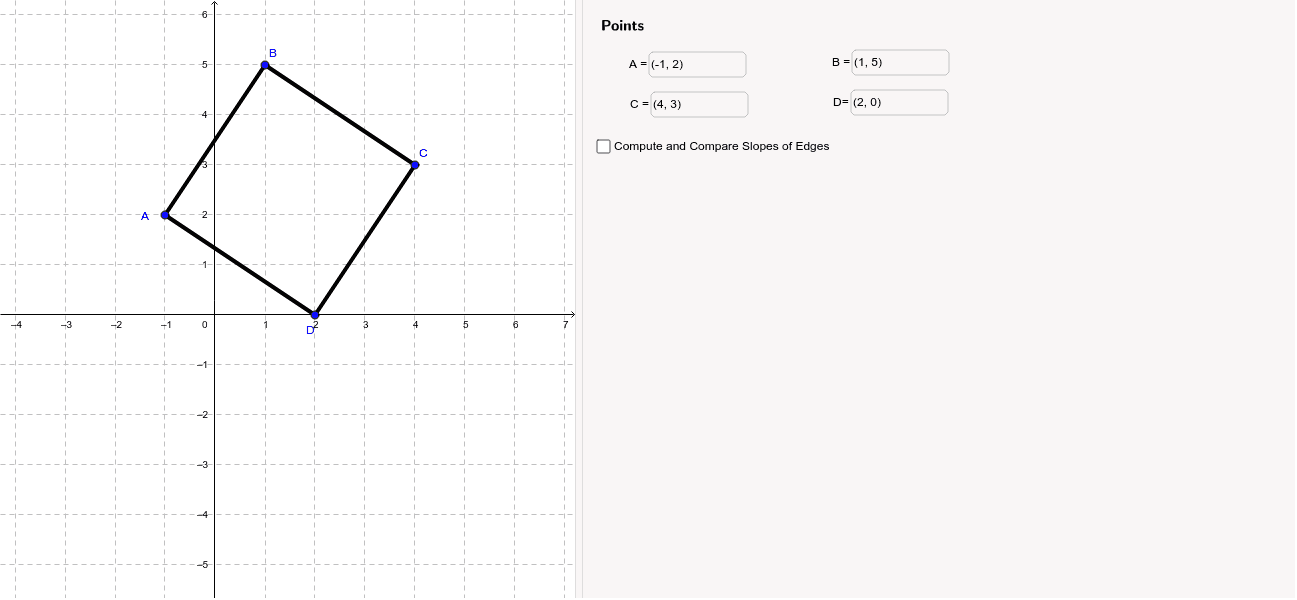
Determine if a Quadrilateral is a Square
Loading the math board and drawing, please wait…
In collections
PARCC Math III Unit 5 Lesson 7
This example demonstrates how to use GeoGebra to determine if a quadrilateral is a square, involving core concepts like quadrilateral properties, rotational symmetry, equal distances, and equal angles. Construction highlights include using Segment, Textfield, points (A, B, C, D), points (a, b, c, d), input boxes, and various text objects. Suitable for high school geometry instruction.
GeoGebra Commands & Parameters
Segment(B, C) → aSegment(C, D) → bSegment(D, A) → cSegment(A, B) → dTextfield(A) → inputBox1Textfield(B) → inputBox2Textfield(C) → inputBox3Textfield(D) → inputBox4Segment(B_1, C_1) → a_1Segment(A_1, B_1) → d_1Textfield(A_1) → inputBox1_1Textfield(B_1) → inputBox2_1Textfield(C_1) → inputBox3_1Segment(B_2, C_2) → a_2Segment(A_2, B_2) → d_2Textfield(A_2) → inputBox1_2Textfield(B_2) → inputBox2_2Textfield(C_2) → inputBox3_2Segment(B_3, C_3) → a_3Segment(A_3, B_3) → d_3Textfield(A_3) → inputBox1_3Textfield(B_3) → inputBox2_3Textfield(C_3) → inputBox3_3Segment(A_4, B_4) → d_4Textfield(A_4) → inputBox1_4Textfield(B_4) → inputBox2_4Segment(A_5, B_5) → d_5Textfield(A_5) → inputBox1_5Textfield(B_5) → inputBox2_5Segment(A_6, B_6) → d_6Textfield(A_6) → inputBox1_6Textfield(B_6) → inputBox2_6Segment(A_7, B_7) → d_7Textfield(A_7) → inputBox1_7Textfield(B_7) → inputBox2_7Segment(B_8, C_4) → a_4Textfield(B_8) → inputBox2_8Textfield(C_4) → inputBox3_4Segment(C_5, D_1) → b_1Textfield(C_5) → inputBox3_5Textfield(D_1) → inputBox4_1