
Roman Numerals Bingo: A Coordinate-Geometry Driven Matching Game
Loading the math board and drawing, please wait…
In collections
Arithmetic and Algebra
This example uses a “Roman Numerals Bingo” theme to demonstrate how to generate, shuffle, and visually match choices through geometric construction and coordinate-based layout. It combines key ideas from coordinate geometry (using coordinates and geometric relationships), measurement-based structure (notably Length constraints), and rational-number-friendly rule checking for consistent placement and selection. Construction-wise, it employs Intersect to create intersection points, Polygon to form grid-like candidate regions, Join to connect related entities, and Element to retrieve specific objects from lists. Randomization and game logic are implemented via Shuffle, while Zip, IndexOf, and Sort manage pairing, indexing, and display order. The diagram includes multiple square/panel objects (squa1–squa25), center points (centers), and collections of choices and labels such as allChoicesN, allShuffledChoices, allDisplay, and allShuffledLabels. A step variable supports incremental reveal of results. Suitable for middle school through early university activities focused on dynamic geometry, interactive mathematical games, and visualization-driven learning.
GeoGebra Commands & Parameters
Intersect(xAxis, yAxis) → APolygon(A + (0.1, 0.1), (0.9, 0.1), 4) → squa1Join(Sequence[Sequence[Translate[squa1, Vector[(m * transX) + (n * transY)]], m, 0, 4], n, 0, 4]) → allSquaOutJoin(Sequence[Sequence[(j, k), j, 0.5, 4.5, 1], k, 0.5, 4.5, 1]) → centersElement(allSquaOut, 2) → squa2Element(allSquaOut, 3) → squa3Element(allSquaOut, 4) → squa4Element(allSquaOut, 5) → squa5Element(allSquaOut, 6) → squa6Element(allSquaOut, 7) → squa7Element(allSquaOut, 8) → squa8Element(allSquaOut, 9) → squa9Element(allSquaOut, 10) → squa10Element(allSquaOut, 11) → squa11Element(allSquaOut, 12) → squa12Element(allSquaOut, 13) → squa13Element(allSquaOut, 14) → squa14Element(allSquaOut, 15) → squa15Element(allSquaOut, 16) → squa16Element(allSquaOut, 17) → squa17Element(allSquaOut, 18) → squa18Element(allSquaOut, 19) → squa19Element(allSquaOut, 20) → squa20Element(allSquaOut, 21) → squa21Element(allSquaOut, 22) → squa22Element(allSquaOut, 23) → squa23Element(allSquaOut, 24) → squa24Element(allSquaOut, 25) → squa25Length(allChoicesN) → lenAllChoicesLength(allDisplay) → lenAllDisplayShuffle(Sequence[n, n, 1, 25]) → labelOrder, {10, 21, 18, 8, 23, 7, 22, 15, 24, 16, 12, 1, 14, 25, 3, 5, 2, 4, 11, 19, 6, 20, 9, 17, 13}Shuffle(Sequence[n, n, 1, 25]) → choicesOrder, {5, 11, 16, 6, 13, 8, 22, 1, 7, 24, 3, 2, 15, 17, 10, 9, 23, 4, 25, 20, 14, 18, 19, 21, 12}Zip(allDisplay(A), A, labelOrder) → allShuffledLabelsZip(Text[("" * A), B, false, true, 0, 0], A, allShuffledLabels, B, centers + (0, 0)) → allLabelsInPlaceZip(allChoicesN(A), A, choicesOrder) → allShuffledChoicesElement(allShuffledChoices, step) → displayedNumIndexOf(displayedNum, allChoicesN) → posOriginalIndexOf(posOriginal, labelOrder) → posDisplayedSort(RemoveUndefined[studCorrect]) → studCorrectSortedLength(studCorrectSorted) → lenStudCorrect
AI Drawing Prompt Reference
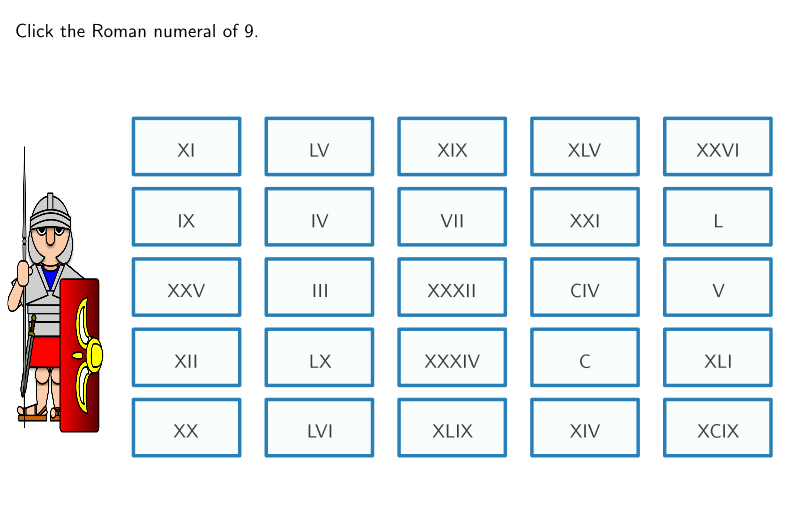
This is a grid of 25 squares, each with a center point. Labels and choices are distributed across the grid, matched via random sorting. The construction order is: find the intersection of axes, create the first square, generate all squares via transformation, connect their center points, extract each square, and then randomly sort and match them.
The prompt above was compiled from the original drawing commands and is for reference only.