
Determine a Line Equation via Geometric Construction
Loading the math board and drawing, please wait…
In collections
PROGRAM LINEAR
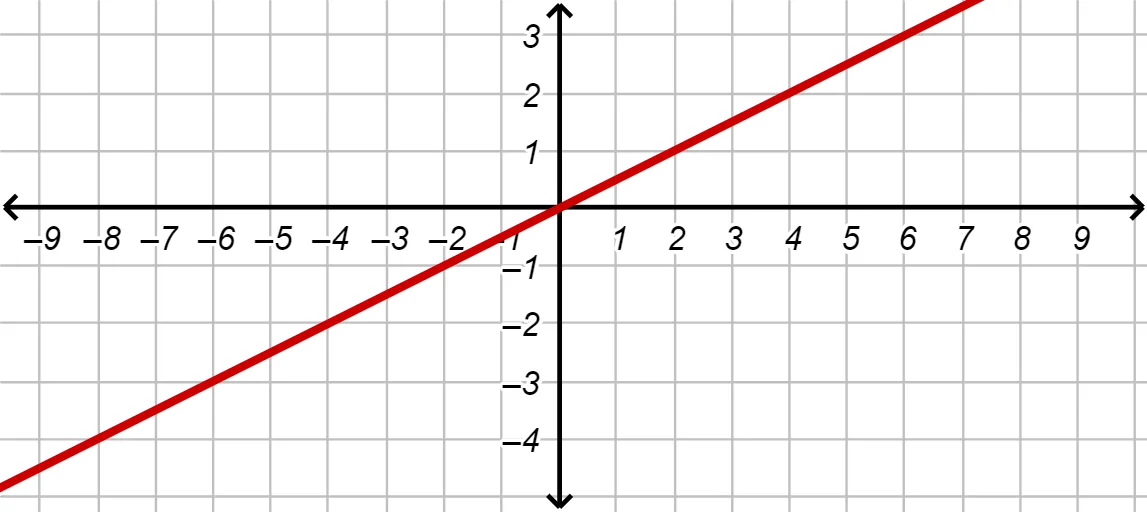
This example demonstrates how to determine the equation of a straight line using geometric construction and step-by-step guidance. It highlights the key idea that a line can be uniquely characterized by geometric data (e.g., two points) and then connected to its algebraic representation. The core mathematical concepts include coordinate geometry and the representation of a line by an equation (linked to slope/intercept or point-slope forms), as well as the correspondence between geometric objects and their functional/algebraic expressions. Construction-wise, the workflow is built around the GeoGebra command Line to create the line from selected points (A and B). The objects A, B define the geometric line; f is used to represent the associated algebraic/function information; text1–text8 provide on-screen explanations and equation readouts. Navigation elements such as BACK, NEXT, and n indicate a guided, multi-step presentation. Suitable for upper-secondary students and introductory college learners for teaching, visualization, and practice connecting geometry with equation form.
GeoGebra Commands & Parameters
Line(A, B) → f
AI Drawing Prompt Reference
Draw a straight line on a coordinate plane that is defined by two distinct points, show the line’s equation in slope‑intercept or point‑slope form, label the coordinates of the two points, illustrate the slope calculation, and provide step‑by‑step textual guidance with forward and back navigation controls to lead the viewer from the geometric construction to the algebraic representation in an interactive learning environment.
The prompt above was compiled from the original drawing commands and is for reference only.